About
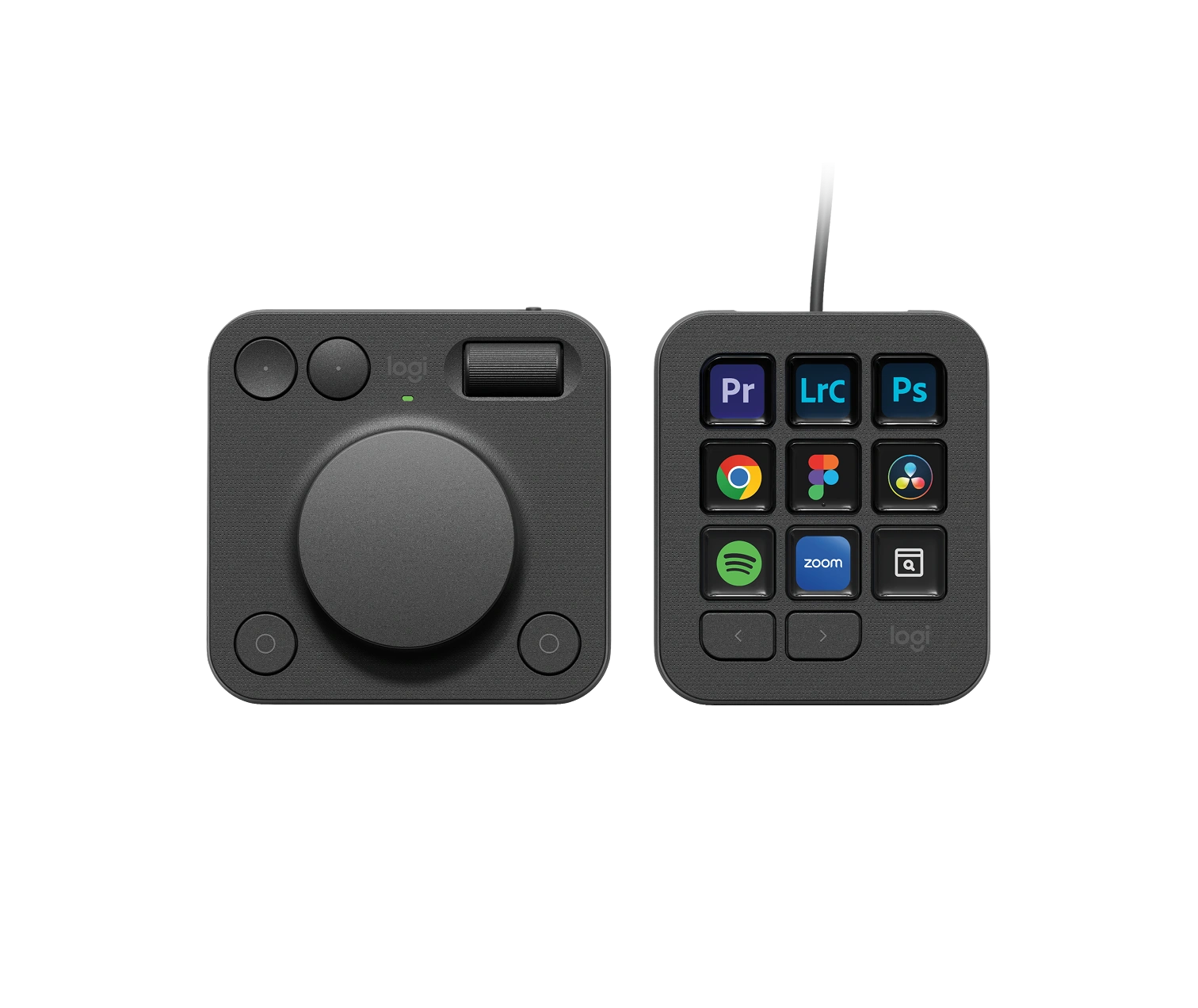
A keyboard shortcut is a thing you have to remember. The MX Creative Console starts from the opposite premise: the keys tell you what they do, and they change their minds when you change applications.
Logitech's MX Creative Console pairs a keypad whose nine keys are small LCD screens with a separate wireless dialpad built around a low-friction aluminium dial. Because the keys are displays rather than printed caps, the labels follow the software in front of you. Logi Options+ holds up to fifteen keypad pages per application, each key carrying a shortcut, a multi-step action or an icon you supply yourself, and a setting called Adapt to App swaps the whole set over the moment that application comes to the front. Actions come in two kinds. Press actions fire once, saving a file or making a layer. Rotate actions run along a dial, a roller or a scroll wheel and move a value by degrees.
The dial is the part that is hard to copy. Logitech maps it to a base function per profile, then lets it borrow the parameter of whatever tool you pick on the keypad, so choosing the brush turns it into brush size, and it falls back to its default when you move on.
Plugins cover Photoshop, Premiere Pro, After Effects, Audition, Illustrator, Lightroom and Lightroom Classic, Final Cut Pro, DaVinci Resolve, Figma, Affinity Photo, Zoom, Spotify and Microsoft Teams, with more in Logitech's Marketplace. Either half works on its own, and a stand for the pair is included. You will need Windows 10 or macOS 13 and later, a spare USB-C port and Bluetooth Low Energy.
- Designed in
- Switzerland

- Controls
- LCD-key keypad, plus dial, roller and keys on the dialpad
- Weight
- Keypad 96 g, dialpad 128 g
- Battery
- Dialpad takes 2 AAA alkaline cells; keypad is wired over USB-C
- Materials
- Colours
- Graphite, Pale Grey
Figures as published by the manufacturer. Source