M2.1
$339

About
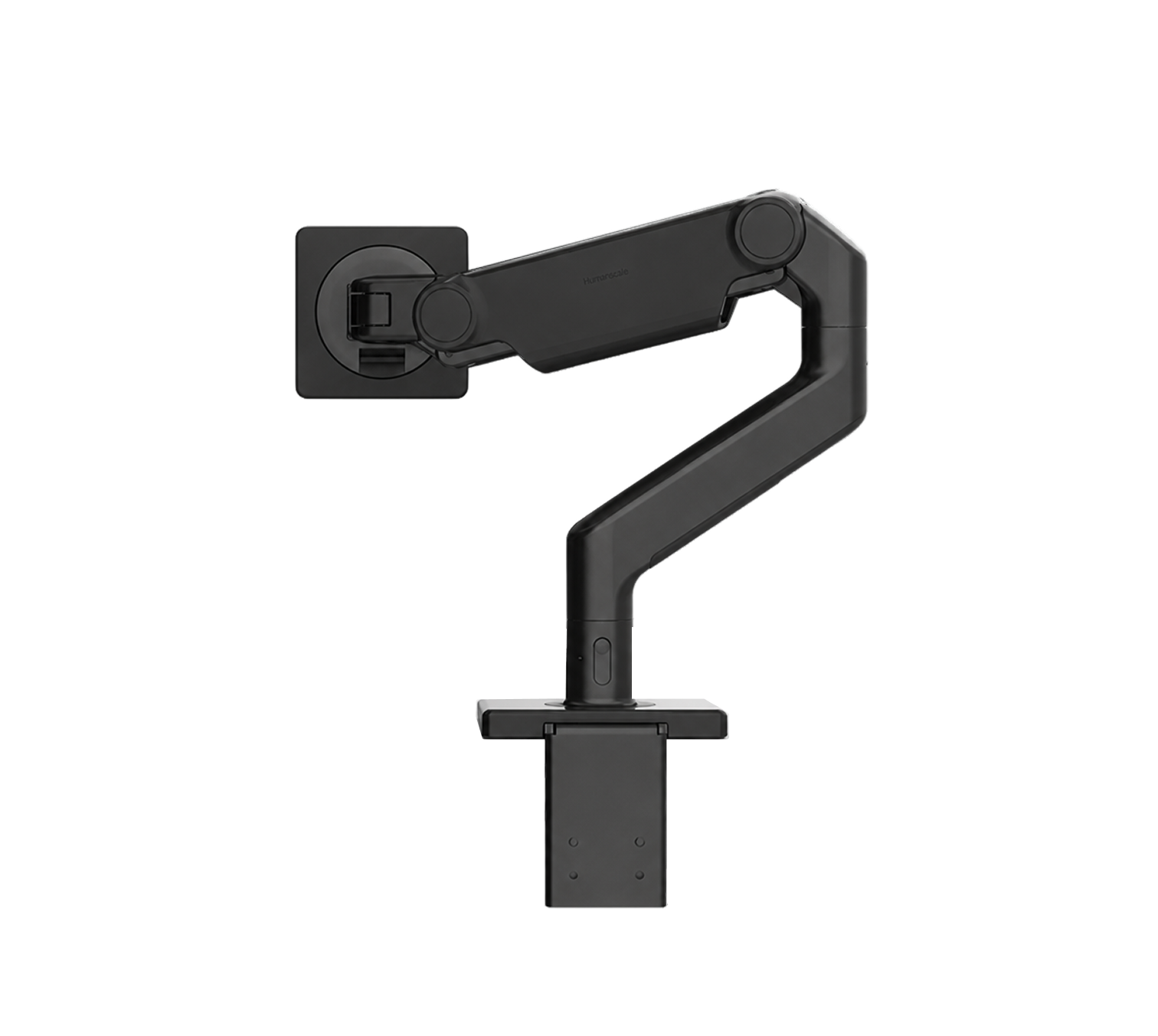
Most monitor arms are set by feel: hang the screen, watch it sag, guess at the tension screw, repeat. The M2.1 tells you where it stands before a monitor ever touches it.
Humanscale's M2.1 carries screens of 2.5 to 7 kg, and a small window on top of the upper link reports the arm's counterbalance setting as a reading rather than a hunch. An arm only stays where you leave it when it pushes up with the same force the screen pushes down, so every arm has to be matched to the weight hanging on it. On the M2.1 that match is made with a screw under the upper link, turned with a 4 mm hex key: towards the plus if the screen sags, towards the minus if it floats back up on its own. The indicator then shows where the screw ended up. That is how a floor of identical desks gets set once and copied across, without hanging a monitor on each arm to find the setting by hand.
The links click together and release with a button, in straight lengths of 100, 200 and 305 millimetres, plus angled and dynamic links, so one arm covers a short reach or a long one. Cables run through clips in the upper link and under a sliding cover on the lower.
Green indicators mark the M2.1 and the M8.1. Humanscale's replacement for it, the M2 Pro, takes 10 kg and reads red, which makes the colour in that little window a quick way to tell which generation of arm is bolted to a desk you have never seen before.
- Designed in
- United States

- Award
- iF 2010

- Materials
- Capacity
- Monitors of 5.5 to 15.5 lb, 2.5 to 7 kg
- Fits
- VESA 75 mm and 100 mm hole patterns
- Controls
- Smart Stop rings cap each joint at 90, 180 or 360 degrees
Figures as published by the manufacturer. Source