About
A remote control that your iPhone mistakes for a keyboard sounds like a bug. It is closer to a design decision, and most of what this remote does follows from it.
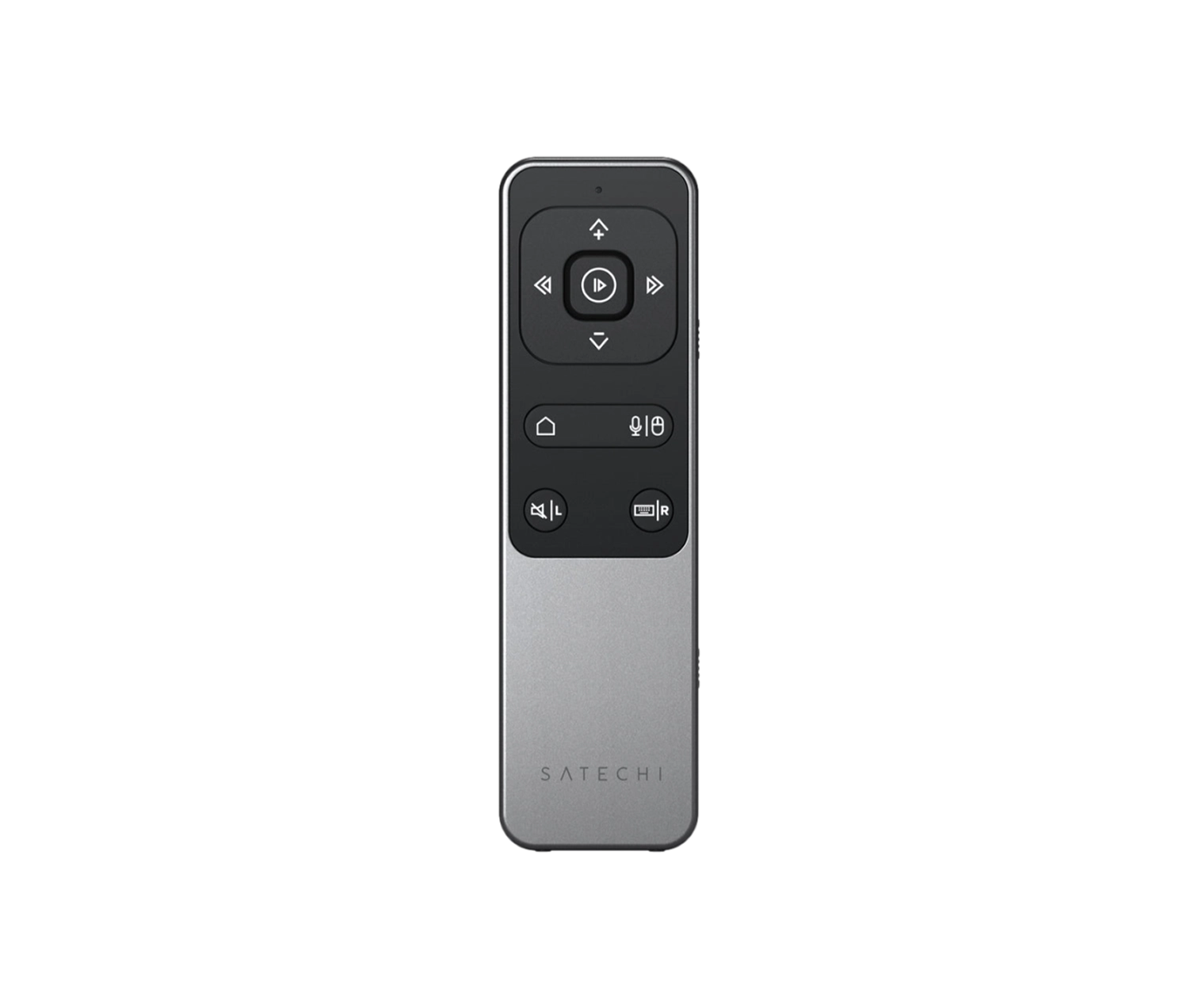
The Satechi R2 Bluetooth Multimedia Remote pairs using the same Bluetooth profile as a wireless keyboard, which is why iPhones and iPads hide the on-screen keyboard the moment it connects: the phone assumes a physical one has arrived to do the typing. Satechi's answer is a dedicated button that forces the on-screen keyboard back, manually, whenever you need it. That button works on every supported platform except macOS, where the feature is not available.
The keyboard identity pays off elsewhere. Paired with an iPad running a slideshow in Apple's Presentation Mode, or an e-reader app, the next and previous buttons register as right and left arrow presses rather than media commands, so a page turn behaves exactly as it would from a keyboard. For everything else there is a four-way directional pad for on-screen navigation and Siri voice support on compatible devices.
At 5.0 by 1.48 by 0.35 inches and 2.2 ounces, it sits in a pocket beside a phone without competing for space. One caveat worth knowing before you go hunting for a cable: the USB-C port carries power only, so the port that looks like a data connection is not one.
- Designed in
- United States

- Materials
- Dimensions
- 5.0 x 1.48 x 0.35 in (12.7 x 3.76 x 0.89 cm)
- Weight
- 2.2 oz (62.37 g)
- Charging
- USB-C (charging only)
- Controls
- Four-way directional pad, Siri voice support
Figures as published by the manufacturer. Source