Home office upgrades every remote worker should make
Five home office upgrades worth considering, from the Humanscale M2.1 monitor arm to the Oakywood Desk Shelf Pro, for better posture, focus, and comfort.
Updated
The top of your screen should sit at or just below eye level, and almost nobody's does. A laptop on a desk puts it about 30 cm too low, and a monitor on its own stand is usually 10 cm short. So the head tilts forward a little and stays there for eight hours, and the neck carries roughly 5 kg of extra load for every 2.5 cm it sits ahead of the shoulders.
That is what the first two upgrades here fix, in two different ways, and it is why they come before anything else. The other three deal with what is left once the screen is at the right height: the light on the desk, the picture going out on calls, and the small objects that accumulate.
Five things, and the first one changes how the day feels physically.
1.Humanscale M2.1
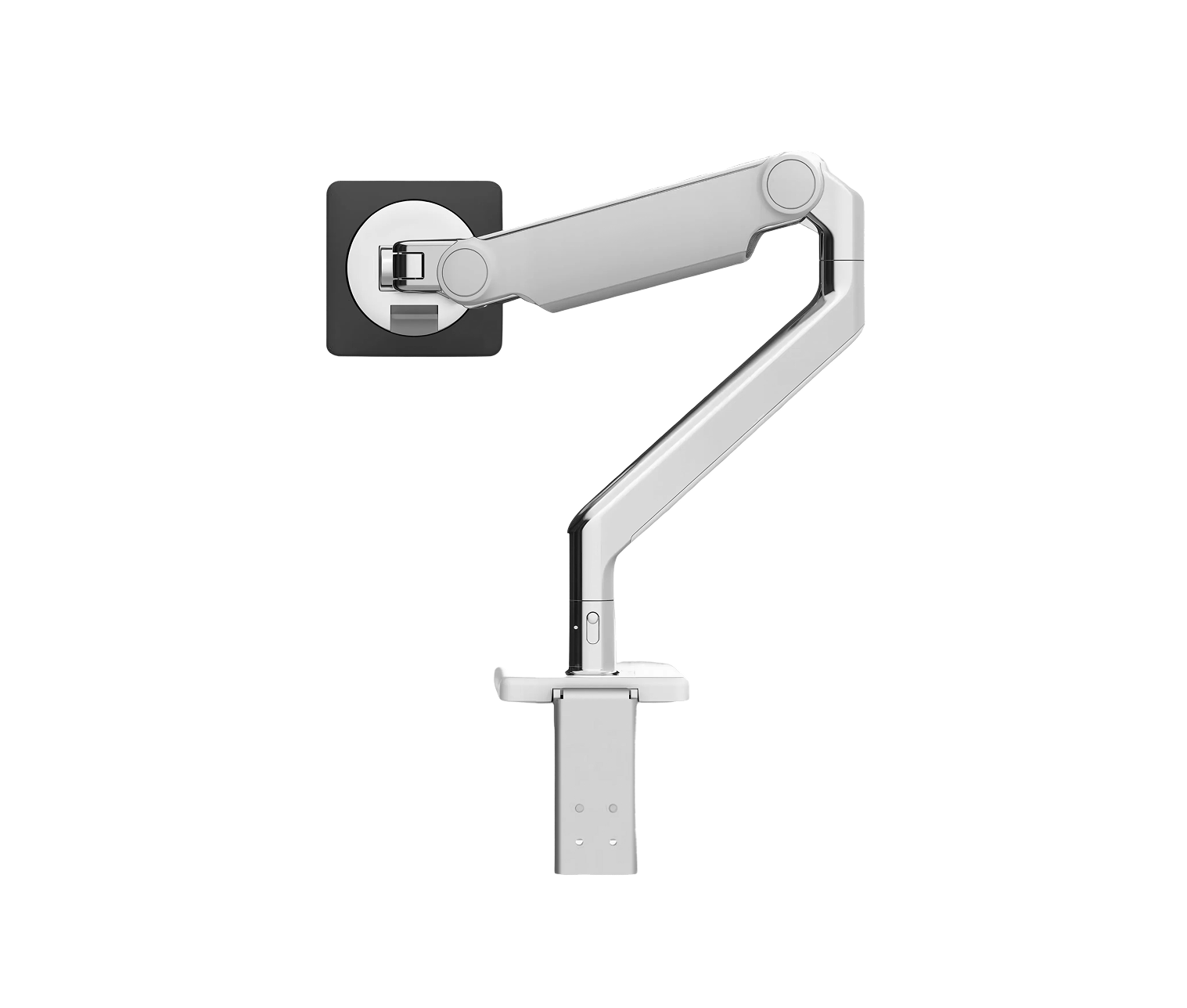
A monitor arm is the only way to put a screen exactly where your eyes are, and this one holds position with no tension knob.
Most arms use a gas cylinder and a dial you tighten until the screen stops drifting. Humanscale uses a mechanical spring in the M2.1 calibrated to the monitor's weight, so it stays where you leave it and moves under a fingertip when you want it to. There is no setting to get wrong and nothing to retighten in a year.
The other half of an arm is the desk it hands back. A monitor stand occupies roughly 25 by 20 cm of surface directly in front of you, which is the most useful area of any desk, and an arm returns all of it.
It clamps to the desk edge or passes through a grommet. Getting the height right takes about a minute, and most people never do it because their stand does not allow it.
2.Oakywood Desk Shelf Pro
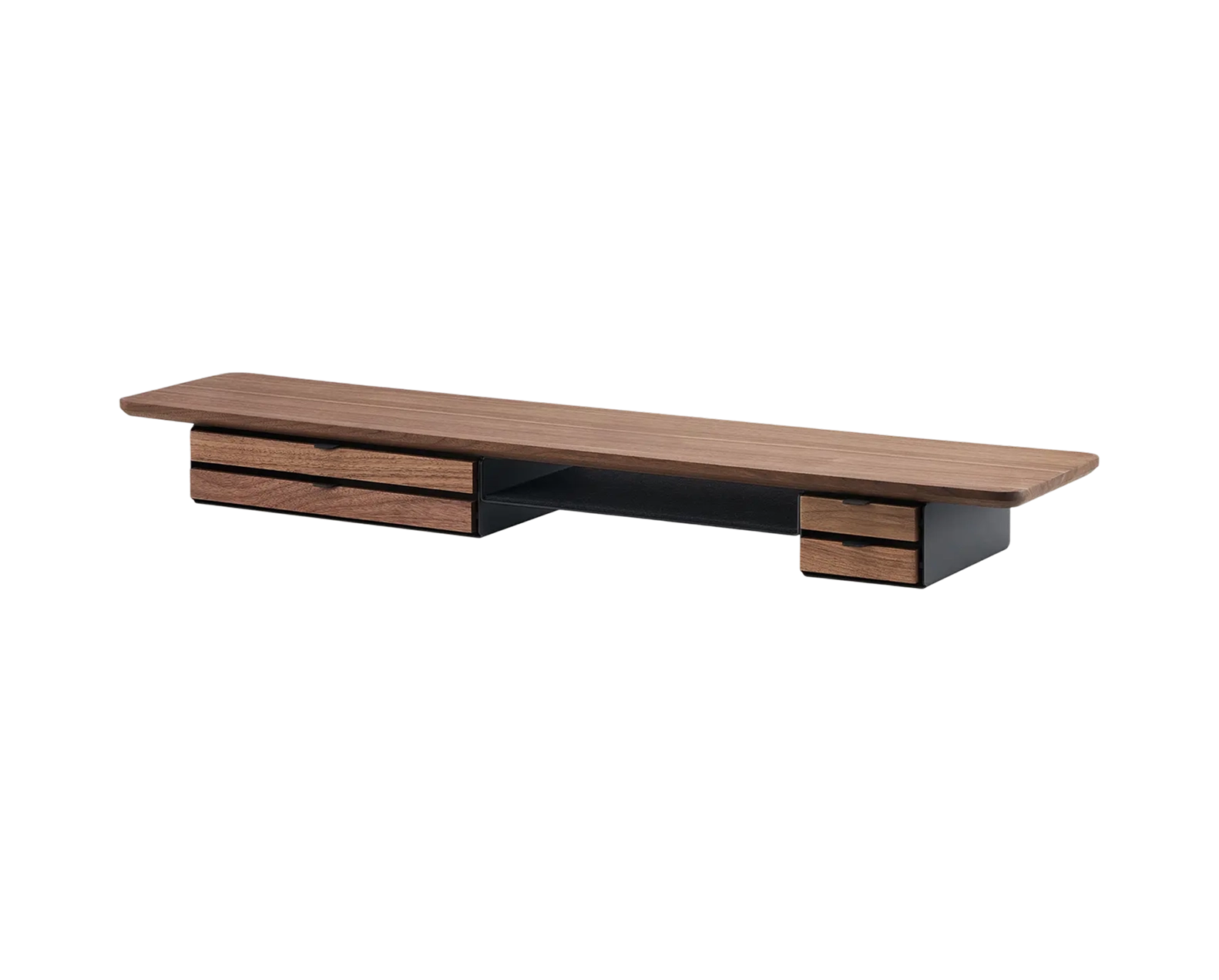
The other way to raise a screen, in solid walnut, with drawers where the empty space under a monitor used to be.
A shelf lifts the display and creates storage in one move, which is the argument against an arm for anyone whose desk stands against a wall and who never needs to move the screen. Oakywood's Desk Shelf Pro also raises a laptop to a usable height beside the main display, which an arm cannot do.
The drawers underneath change the surface. Pens, cables and adapters drift across a desk because they have no home, and a drawer at the point where they land is the only reliable answer.
Walnut instead of laminate, which matters here because the front edge sits at eye level all day and a laminate edge starts showing its substrate within a year.
3.BenQ ScreenBar Halo 2
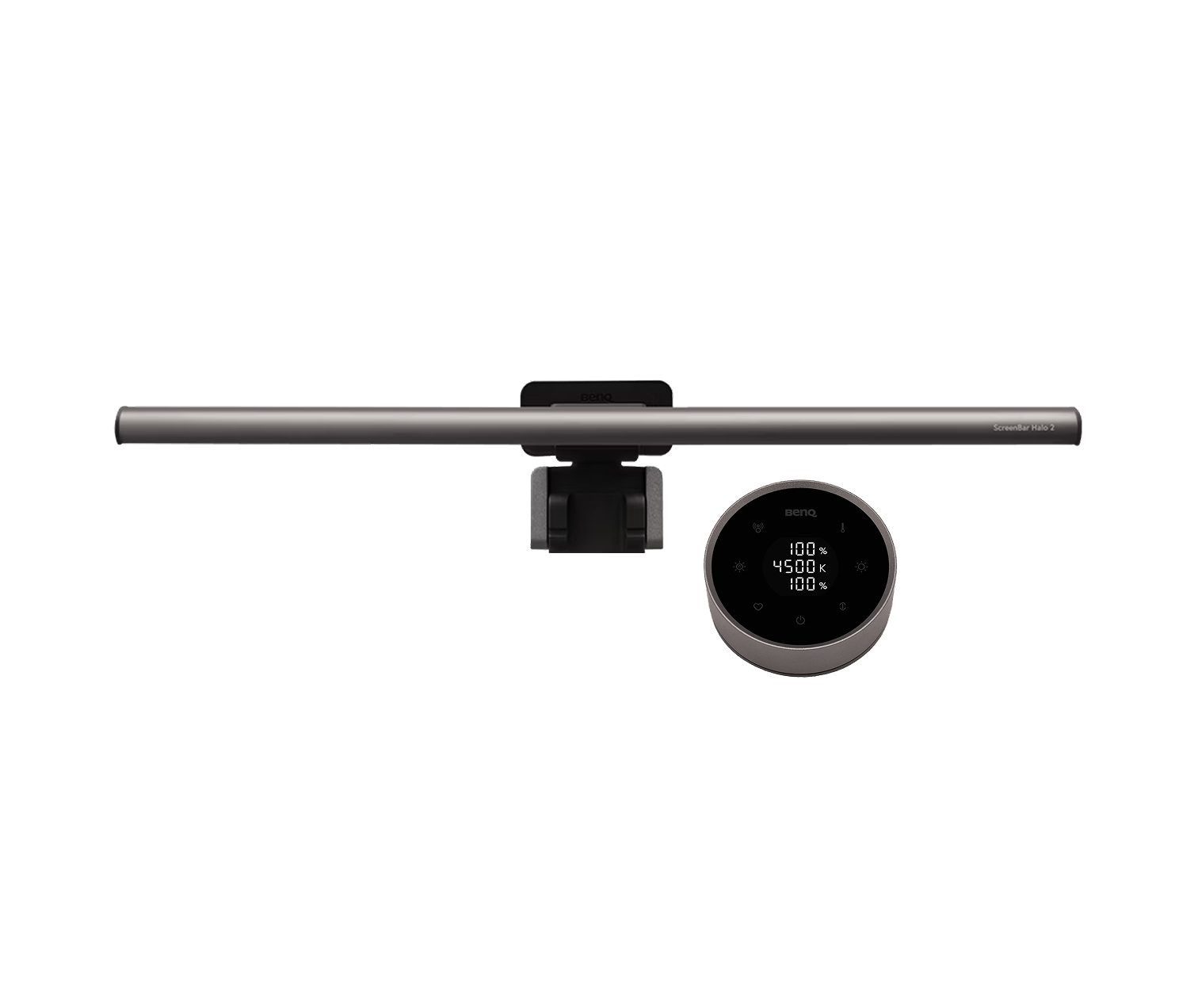
It clips to the top of the monitor and throws light forward onto the desk, never backward onto the screen.
That asymmetry is the whole engineering problem in a monitor light, and an asymmetric reflector solves it: the light leaves at a downward angle so none of it reaches the panel and creates the glare a lamp behind a screen always produces. BenQ does it well enough that the ScreenBar Halo 2 lights paper and stays invisible on the display.
It also occupies no desk at all. Every other task light takes surface space beside the very thing it is lighting.
A wireless puck sets brightness and colour temperature, and colour temperature is the one worth changing: warm after dark and cool during the day, for the same circadian reasons that apply to any lamp.
4.Opal C1
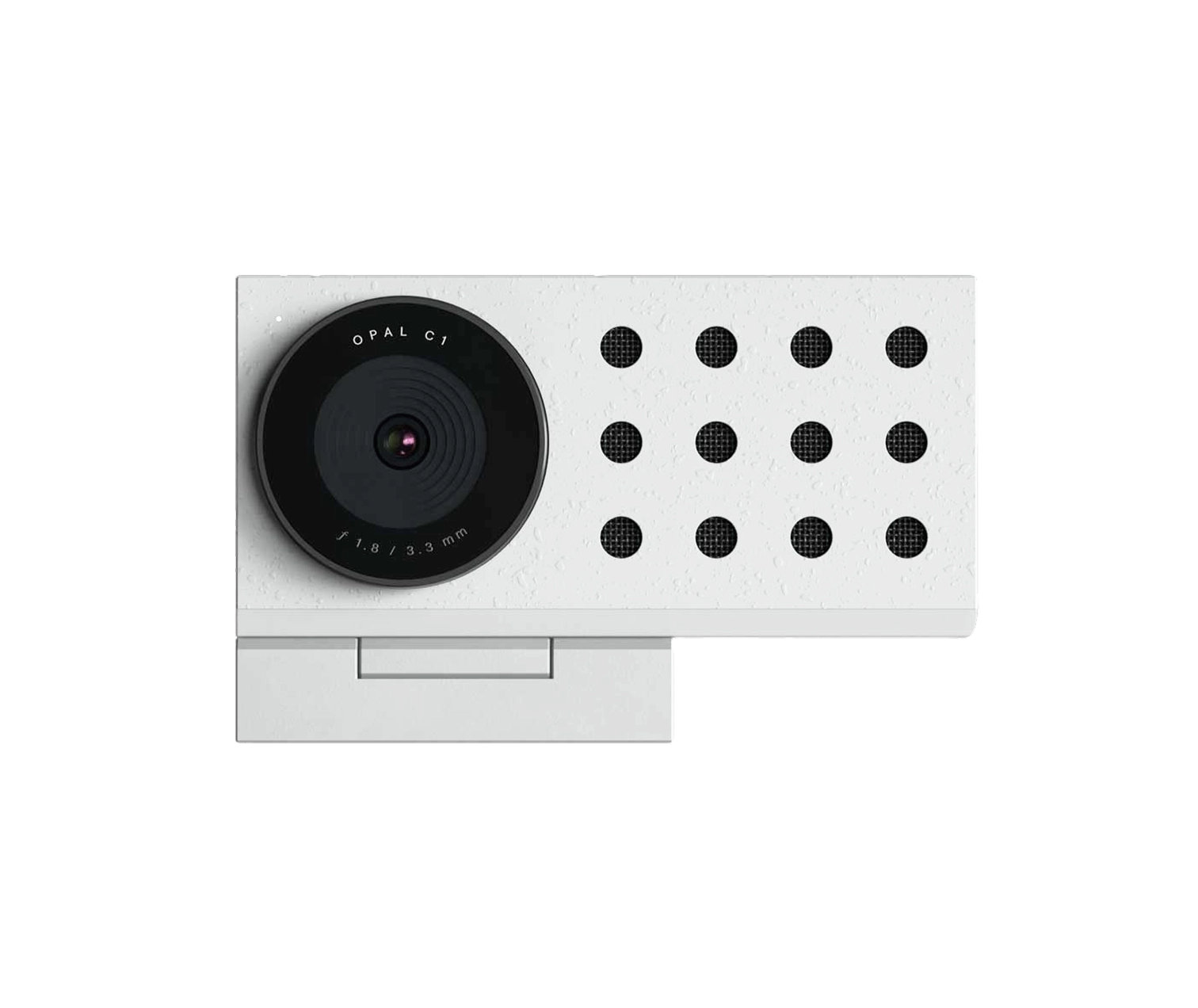
A webcam with a sensor large enough to produce real depth of field, which is why it does not look like a webcam.
Laptop cameras use tiny sensors, and a tiny sensor holds everything in focus at once, which is exactly what makes a video call read as flat and cheap. A larger sensor separates you from the wall behind you optically instead of software-blurring the background into an artefact that eats your ears.
The Opal C1 also copes with mixed light without a rig around it, which is the actual condition most people work in: a window on one side and a lamp on the other.
For anyone spending hours a day on calls it is the upgrade other people notice, which is not true of anything else on this page.
5.Orbitkey Nest V2
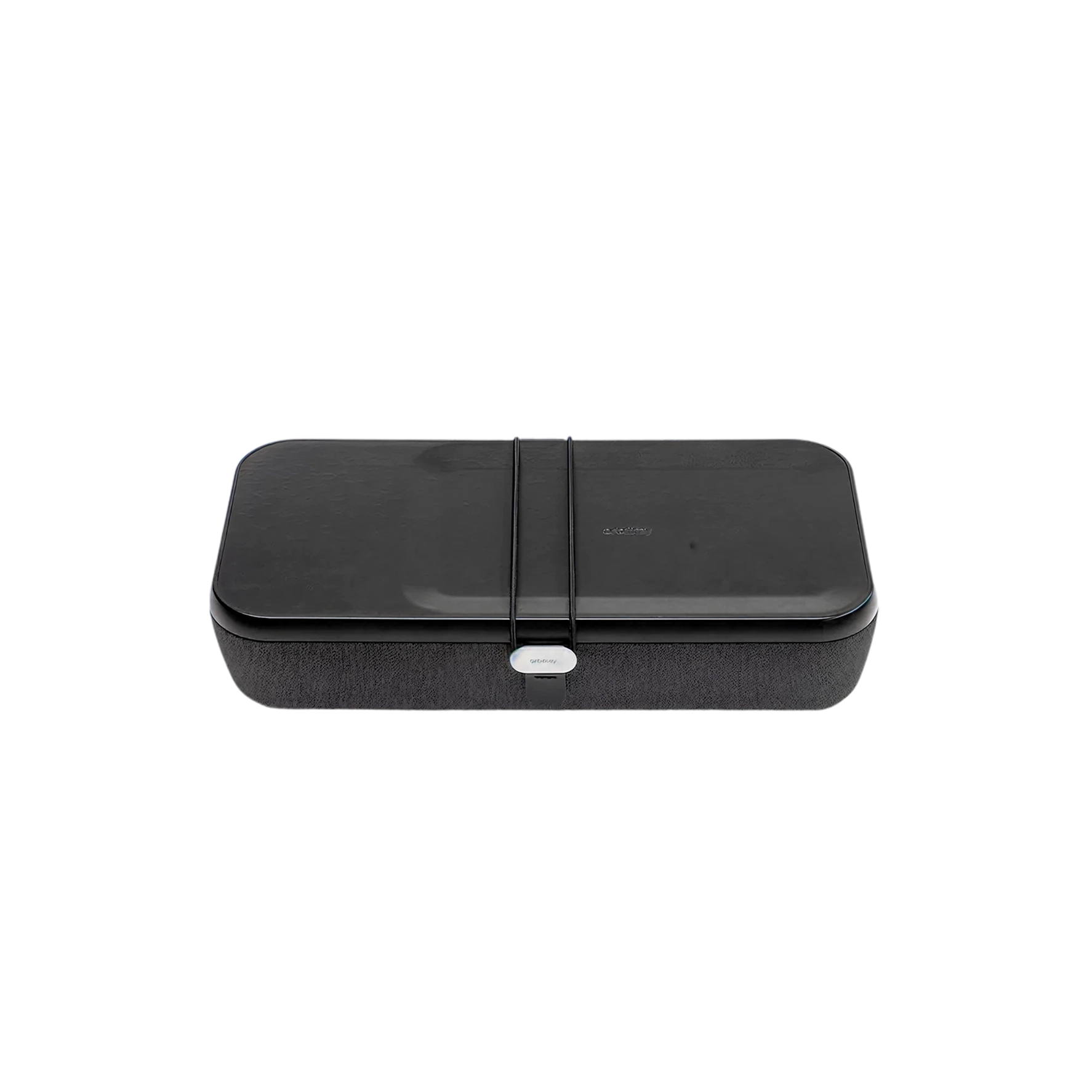
A tray that charges, which is two objects fewer on a desk that had both anyway.
The Nest V2 puts a wireless charging pad in the padded top of a container, so the phone charges where the small objects already live instead of on a separate pad beside them. Orbitkey wraps a polycarbonate shell in vegan leather, so it is soft where a hand meets it and rigid where it has to hold shape.
It closes, and that is the part that makes it work in a room which is not only an office. A desk that becomes a table in the evening needs its cables to disappear, and a lid does that in one motion.
Small enough to carry between rooms, which for anyone working from a kitchen table is not a small thing.
What to fix, in what order
Screen height first, and it is not close
The top of the display wants to sit at or just below eye level, roughly an arm's length away. Every 2.5 cm the head moves forward of the shoulders adds about 5 kg of effective load to the neck, and a laptop on a desk puts the screen around 30 cm too low, holding that tilt all day. An arm or a shelf fixes it permanently in under a minute of adjustment.
An arm hands back the best 500 cm² of the desk
A monitor stand occupies about 25 by 20 cm directly in front of you, which is the area you would otherwise use for paper, a notebook, or a keyboard at a different angle. An arm clamps at the edge and returns all of it. On a desk under 120 cm wide that is a bigger practical gain than the height adjustment.
A monitor light has to be asymmetric
Any lamp bright enough to read by will also reflect off the screen, and that is the problem. A monitor light solves it with a reflector throwing light forward and down and nothing upward, so the panel stays clean. A desk lamp behind a screen cannot do this, and one in front of it lights your hands and your face instead of the page.
Sensor size is why a webcam beats a laptop camera
Video quality is mostly the sensor and not the resolution. A small sensor holds everything in focus at once, which reads as flat, and it falls apart the moment light comes from two directions. A larger sensor separates subject from background optically, which is the look that software blur imitates badly.
Where to start
So: the arm or the shelf first, whichever your desk suits. Then the monitor light, which costs least of what remains and changes the evening most. Then the camera, if calls are a real part of the job. The Nest whenever, and especially if the desk has to become a table at six.
Get the screen height right and the rest is refinement. The materials version of this argument is in how to build a Japandi-inspired workspace.
How we chose
We ordered these five by how much each one changes the working day physically, which puts screen height first and everything else after it. None of these makers publishes a specification page our fetcher can read for these models, so no pick carries a panel and there is no comparison table. The ergonomic figures in the buying guide are general and not manufacturer claims.
Common questions
The top of the screen at or just below eye level, roughly an arm's length away, with the display tilted back slightly. A laptop on a desk sits about 30 cm below that and most monitor stands are around 10 cm short. The cost of getting it wrong is a small sustained forward head tilt, and the neck carries roughly 5 kg of extra load for every 2.5 cm the head sits forward of the shoulders.
For height and for desk space, yes. A stand fixes the screen at one height chosen by the manufacturer and occupies about 25 by 20 cm of the most useful surface on the desk. An arm sets any height, moves under a fingertip, and clamps at the edge so all that surface comes back. On a desk against a wall that never needs the screen moved, a shelf does the height job and adds storage instead.
Yes, and the mechanism is an asymmetric reflector. Any lamp bright enough to read by will also reflect off the screen, so a monitor light throws its output forward and down at an angle that reaches the desk and never the panel. That is something a desk lamp physically cannot do from behind a display, and from in front it lights your face instead of the page.
Sensor size, more than resolution. A tiny laptop sensor holds everything in focus at once, which reads as flat and amateur, and it copes badly with light arriving from two directions. A larger sensor separates you from the background optically, which is what software background blur is imitating and why the imitation eats the edges of hair and glasses.
Whatever fixes screen height, because it is the only item on the list with a physical cost attached to getting it wrong. After that, lighting, because it is cheap and it changes evenings most. Camera third if calls are part of the job, and storage last, which is the reverse of the order most people buy in.
About the author

Justin Farrugia
Founder & Editor of Curated Supply
Justin Farrugia is the founder and editor of Curated Supply, a design-led directory to things worth owning. He has personally curated over 1,000 products across workspace, carry, coffee, audio, and the home, each judged against one standard: design intent, material quality, and the restraint that lets a thing last.