Mechanical keyboards with knobs, screens and macro keys
Mechanical keyboards with knobs, screens and macro keys, from the Work Louder Nomad [E] v2 with three dials to the Lofree Block and 8BitDo's Super Buttons.
Mechanical keyboards with knobs, screens and macro keys put the commands you reach for most under one finger, and the five here do it in five different ways.
One has a colour screen and three dials. One has two knobs where most keyboards hide a function combination. One has a volume knob and a pair of oversized buttons on a cable. One has no knob at all. It gives every key four commands, chosen by how far you press it. The last has no letters, only thirteen keys, a dial and a joystick, and sits beside the keyboard you already own.
They run from $90 to $359. The question that separates them is less about typing than about where the shortcuts live: on the keyboard itself, in an app on the computer, or in the depth of each keypress. Each section says which, and what that is like day to day. For keyboards picked for quiet, see mechanical keyboards for silent deep work.
1.Work Louder Nomad [E] v2
Pros
- Macros live in 16 MB on the keyboard, so they work on a laptop with nothing installed
- 3,000 mAh battery, larger than the first Nomad's 2,100 mAh
Cons
- Linear 55 g switches only, with no tactile or clicky option
- Bluetooth and USB-C only, with no 2.4 GHz receiver
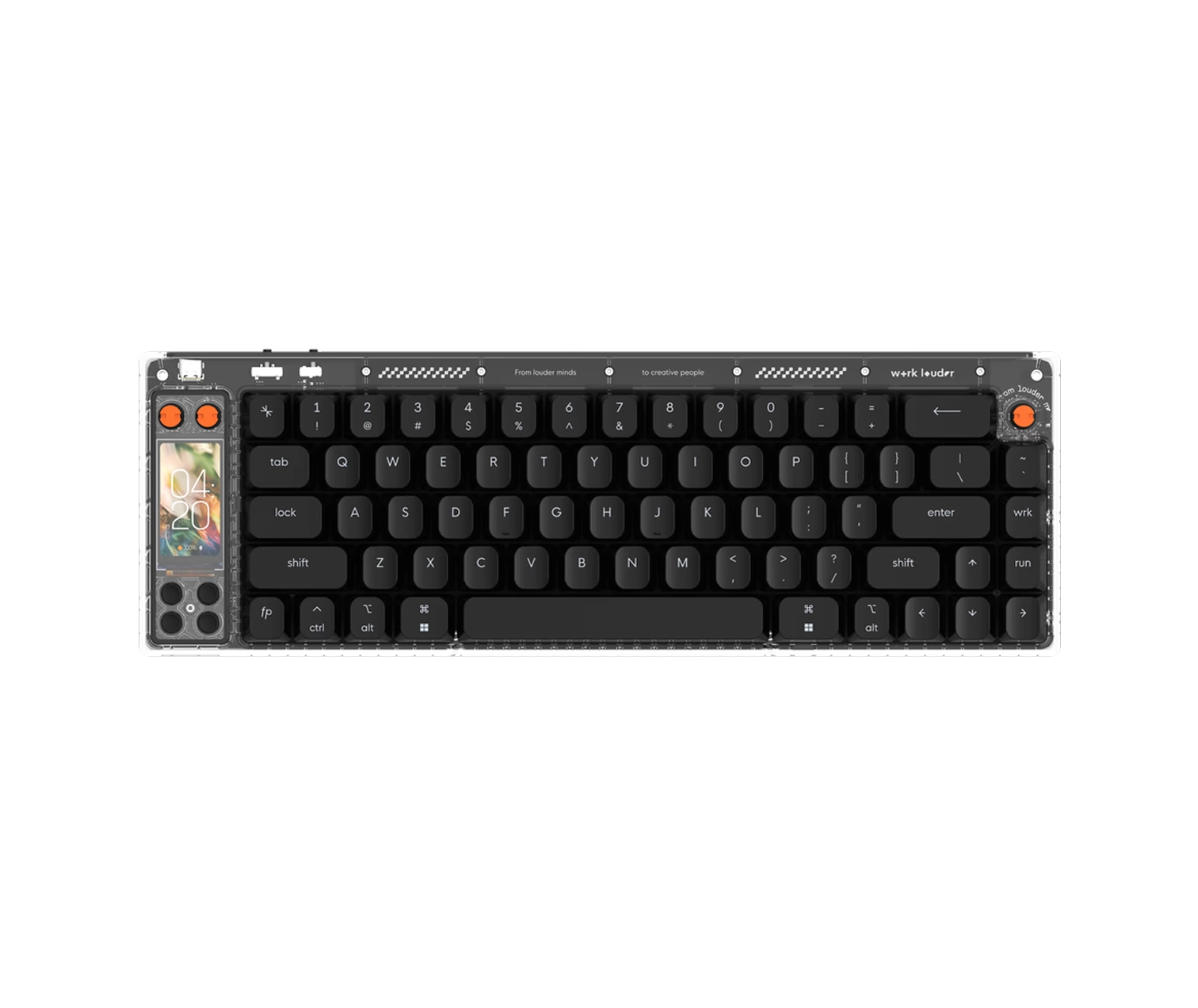
The only keyboard here with a colour screen, set above the keys between three clickable dials.
The screen is a 170 by 320 pixel IPS panel, and it runs small apps instead of only reporting status. A media widget drives Spotify, Apple Music and audio playing in a browser. A pomodoro timer counts work and rest sessions. Four extra buttons sit under the screen. The three dials turn and click, and you decide what each turn does. Work Louder sells the board as a creator's keyboard, and the controls are the reason why.
What sets the v2 apart from most programmable keyboards is where it keeps the work. Macros and shortcut profiles live in 16 MB of memory on the keyboard, so they travel with it. Plug it into a borrowed laptop with nothing installed and every shortcut still fires. Most boards with extra controls keep that logic in an app on the computer, and it stays behind when the keyboard leaves.
The battery is 3,000 mAh, up from 2,100 mAh in the first 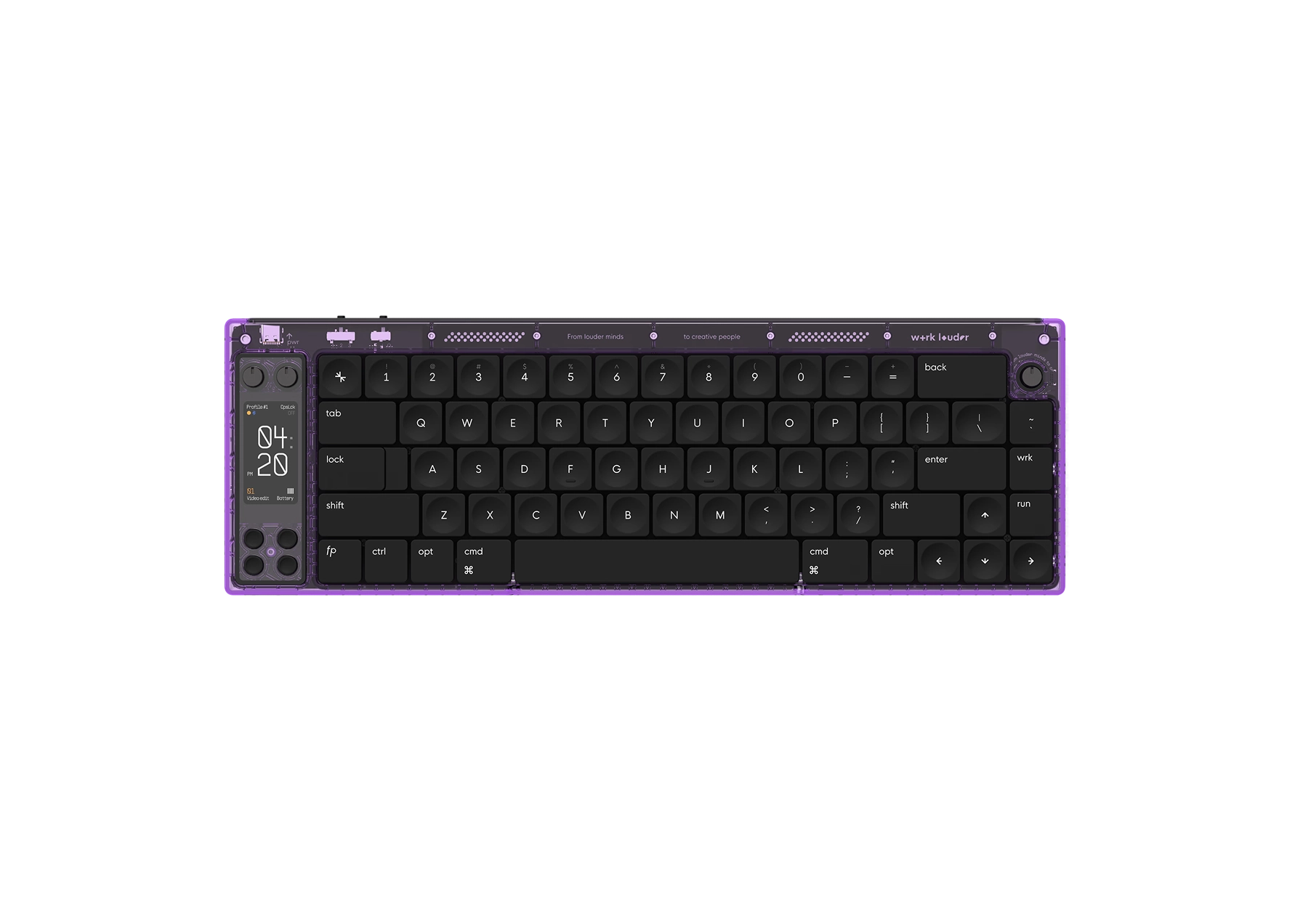 Nomad [E], and Work Louder says ten minutes on a charger gets it to half. Pull the USB-C cable and it moves to Bluetooth on its own. Plug it back in and it moves back.
Work Louder made the switches for this board. They are linear, quiet and 55 g, with POK stems sliding in POM housings, two plastics that slide easily against each other. The keycaps are double-shot PBT and fit the first Nomad too. Work Louder stamps the bottom shell from aluminium and moulds the top from polycarbonate.
Nothing else here has as much going on above the keys, and nothing else travels as well: the screen tells you which layer is live, and the shortcuts are on the board, not on the computer you left at home.
- Controls
- 170 × 320 px IPS screen, 3 clickable dials, 4 extra buttons
- Connection
- Bluetooth or USB-C, switching on its own
- Battery
- 3,000 mAh, up from 2,100 mAh in the first Nomad [E]
- Programmed in
- Work Louder Input, stored in 16 MB on the keyboard
Specifications as published by the manufacturer. Source
2.Lofree Block Mechanical Keyboard
Pros
- One knob moves between Bluetooth, 2.4 GHz and the cable, with no key combination to remember
- 98 keys, so a number pad fits in a board 387 mm wide
Cons
- Keys fire 1.6 mm into the press, early enough to cause typos at first
- No companion app, so the knobs and keys cannot be remapped
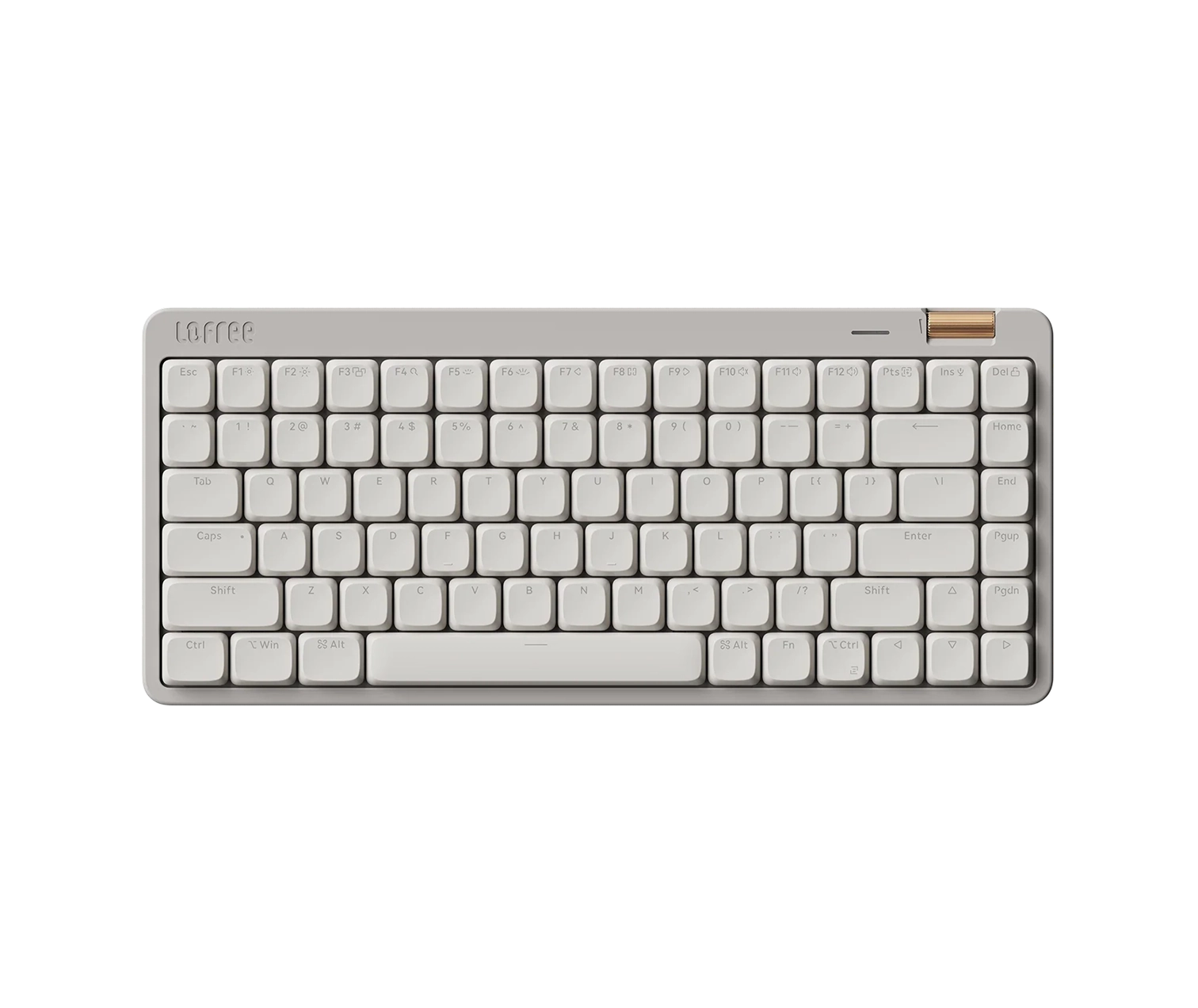
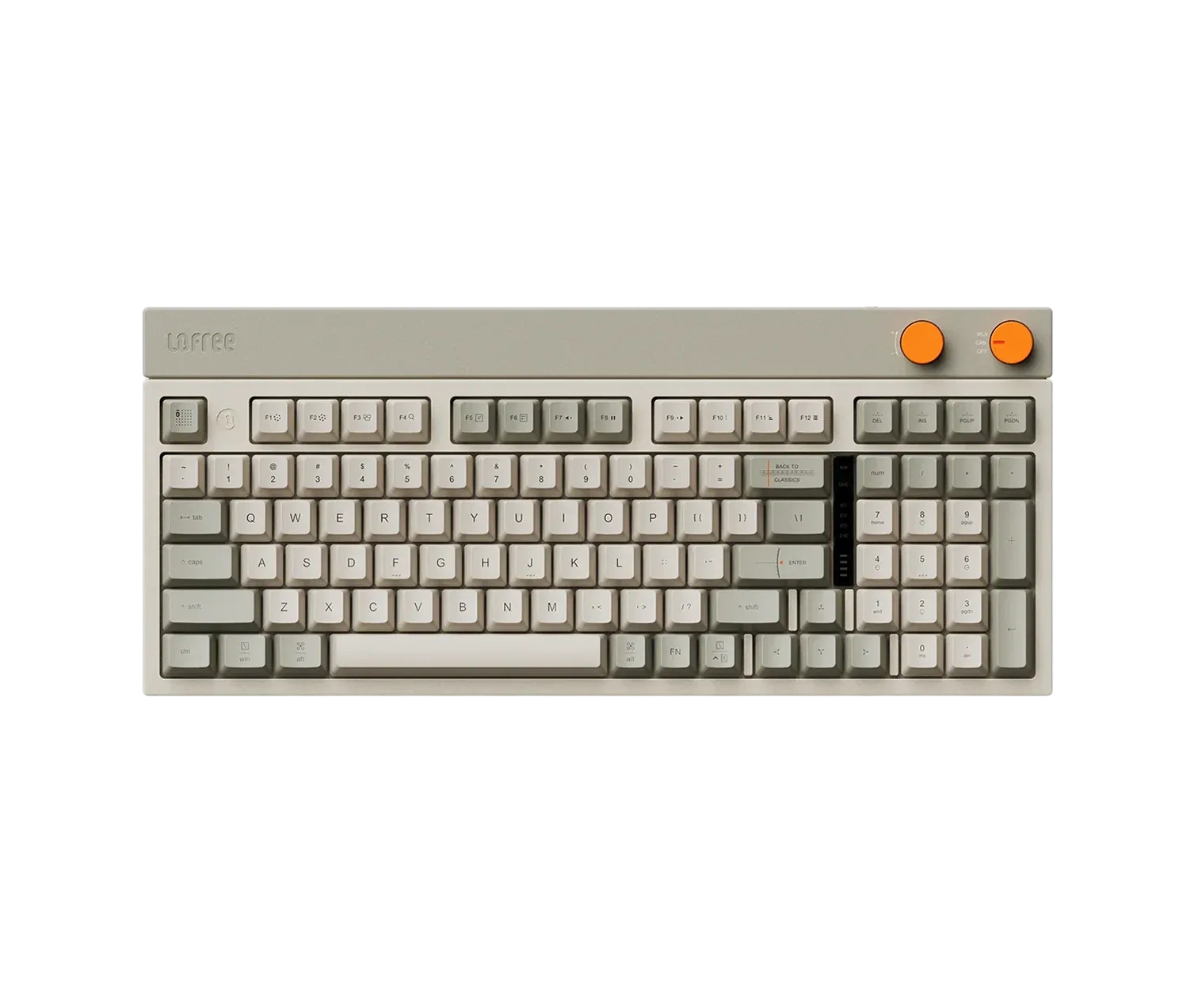
Two round knobs at the top right, one for volume and one for the connection mode, on a 98-key board.
Most wireless keyboards that pair with three devices make you remember a function combination, usually printed nowhere on the keys, every time you want to move from the laptop to the tablet and back. Lofree gives the job its own knob. Turn it and the Block moves between Bluetooth, its 2.4 GHz receiver and the USB-C cable. The other is volume. They look like the dials on an old hi-fi, and the rest of the board follows them: a soft grey base, orange highlights and keycaps shaped like blocks.
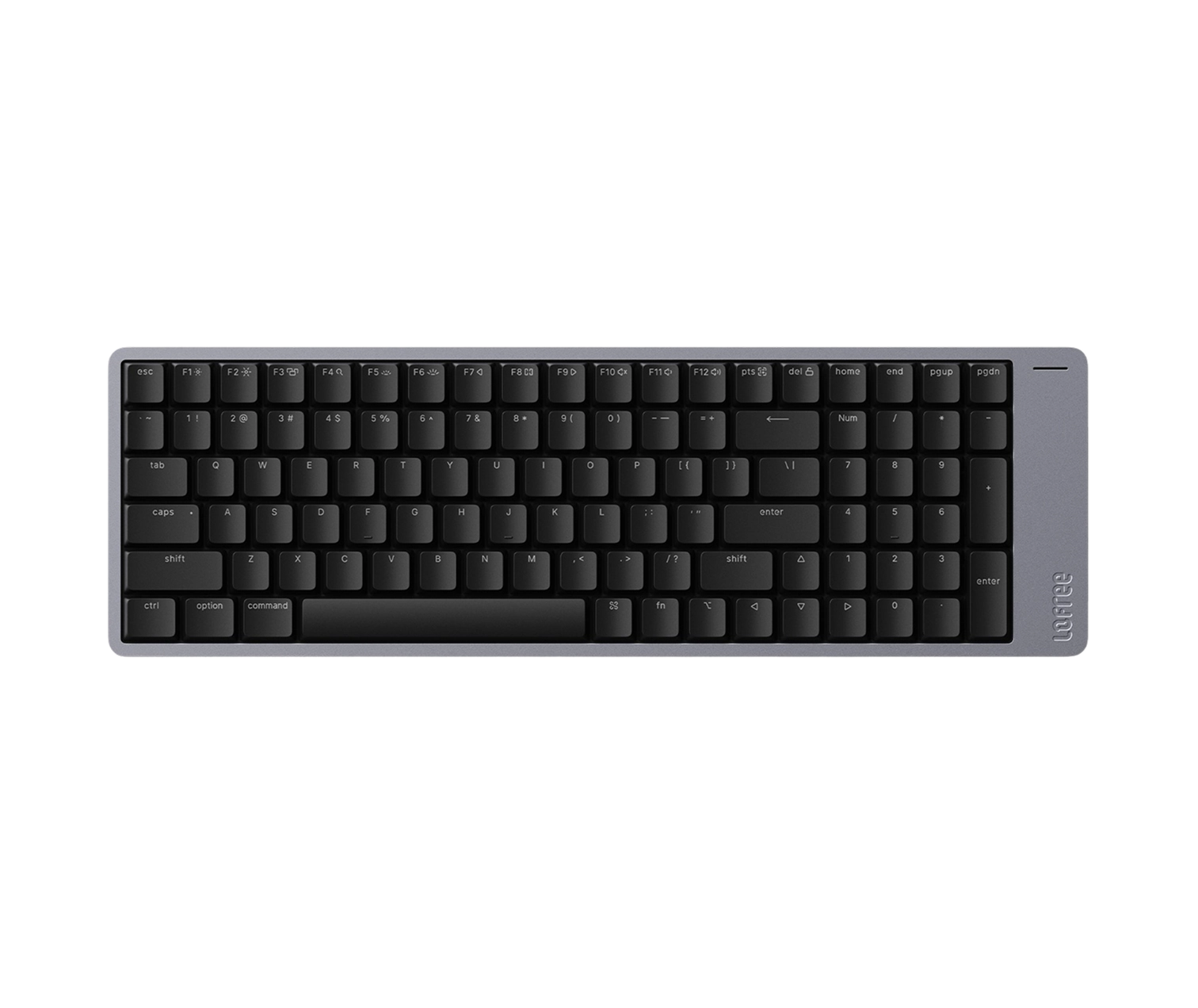
A 98-key layout is the trick that fits a number pad into a board not much wider than one without. The arrow keys and the number pad tuck in against the main keys, with no gaps between the groups. The Block is 387 mm wide, so it still takes most of a desk.
The switches are a linear design Lofree built with TTC, with full POM stems. They actuate at 43 g, register 1.6 mm into a 3.8 mm press, and pull out without a soldering iron, so another switch can go in. Under the plate sits a gasket mount with Poron foam. The plate floats on rubber strips with no screws into the shell, which is what takes the hollow ring out of each press.
Owners notice it. At 1.6 mm, a key fires early, and a heavy hand makes typos until it adjusts.
The battery is 2,000 mAh, which Lofree rates at up to 80 hours, and it charges in about three. The keycaps are dye-sublimated PBT. Foldable feet set the angle at 4 or 8 degrees.
It has knobs and no macros. Lofree makes no companion app, so the knobs and the 13 multifunction keys do what Lofree set them to do. For a board whose controls you never have to program, that is the point.
- Controls
- Volume knob and connection-mode knob, 13 multifunction keys
- Connection
- Bluetooth 5.0 to three devices, 2.4 GHz receiver, USB-C
- Switch
- Lofree × TTC linear, 43 g, 1.6 mm pre-travel, 3.8 mm total
- Battery
- 2,000 mAh, up to 80 hours
- Programmed in
- Fixed controls, no companion app
Specifications as published by the manufacturer. Source
3.8BitDo Retro Mechanical Keyboard
Pros
- Super Buttons take a macro without any software, and up to four sets run at once
- Hot-swappable, so the clicky Kailh Box Whites can come out for linear switches
Cons
- No backlighting
- Reviewers flag incomplete support on a Mac
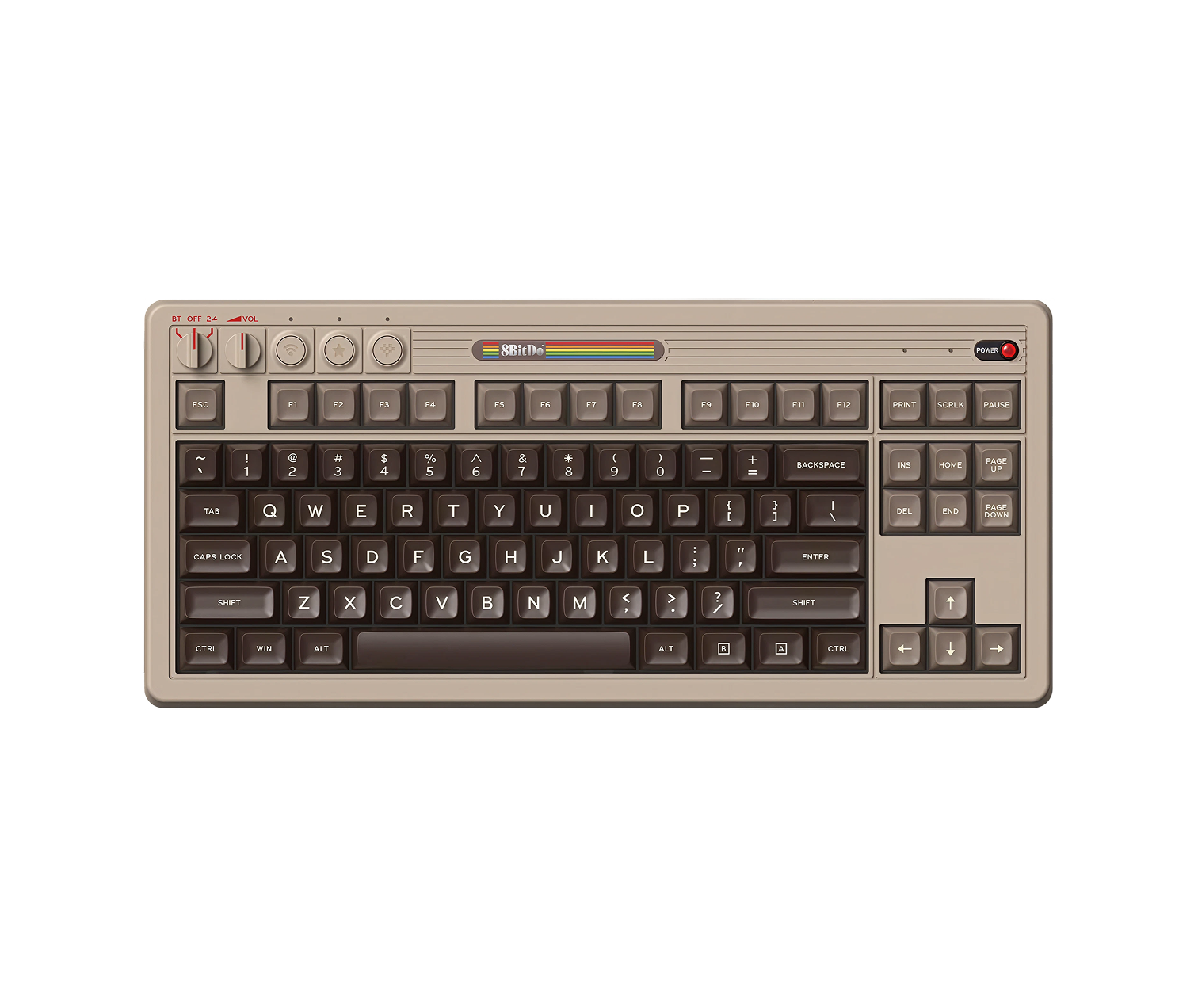
A volume knob on the board and two oversized buttons on a cable, which record macros without any software.
The Dual Super Buttons are the reason this keyboard is here. They sit in their own small base, plugged into the keyboard, and look like the buttons on an arcade cabinet. 8BitDo lets you set a macro or map any key to them by holding a combination on the buttons themselves, so you install nothing. One set comes in the box, and the keyboard takes up to four of them at once. Longer macros and full remapping go through 8BitDo's Ultimate Software V2.
On the board, a volume knob turns and clicks, and a mode selector beside it chooses between the 2.4 GHz dongle, Bluetooth and the USB-C cable. The colours and the lettering come from 1980s games consoles, and the whole keyboard follows that look.
It is an 87-key board with no number pad, often called tenkeyless, and it weighs 1,050 g with an aluminium plate inside. Swapping switches is easy. The Kailh Box White V2 switches it ships with are clicky, and they come out without a soldering iron if you would rather have a quiet linear switch.
Check the edition when ordering. The N and Fami editions share the Kailh switches and dye-sublimated PBT keycaps. The N64 30th anniversary edition swaps in linear switches 8BitDo designed with HUANO, and different keycaps.
Reviewers flag two things it lacks: backlighting, and full support on a Mac. At $90 it is the cheapest board here by $50, and the only one with buttons you could hit with a fist.
- Controls
- Volume knob, mode selector, 2 Super Buttons on a cable
- Connection
- 2.4 GHz dongle, Bluetooth, USB-C
- Layout
- 87 keys, tenkeyless, hot-swappable
- Weight
- 1,050 g
- Programmed in
- On the Super Buttons themselves, or Ultimate Software V2
Specifications as published by the manufacturer. Source
4.Keychron K2 HE Wireless Magnetic Switch Keyboard
Pros
- Every key can carry up to four actions, set by how far it is pressed
- 4,000 mAh, the largest battery here
Cons
- No knob, screen or dedicated macro button
- Two switch versions on sale, and only Version 1 has the TMR sensor Keychron advertises
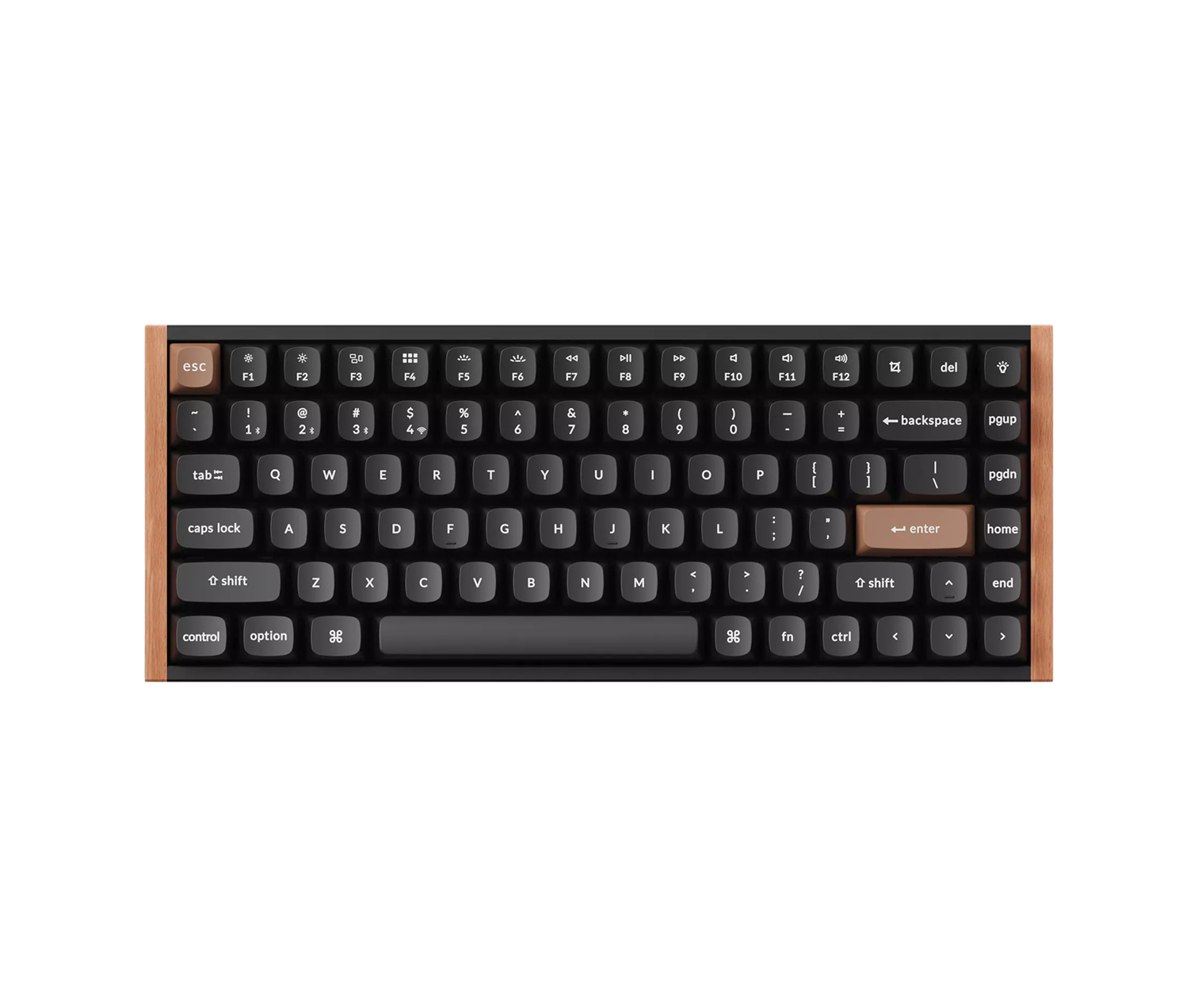
No knob and no screen. Each key can hold four commands, picked by how far you press it.
Inside each switch, a magnet rides down with the key and a sensor reads how far it has gone. That turns every key from on-or-off into a measurement, and Keychron spends that measurement in three ways that an ordinary switch, which only knows whether its contacts have touched, cannot copy. The point where a key fires moves anywhere from 0.2 to 3.8 mm, in steps of a tenth of a millimetre. Rapid Trigger resets a key the instant it starts back up. Dynamic Keystrokes give one key up to four actions by depth: a light press does one thing, a full press another, the release a third.
That last one is the macro key, built into every key on the board instead of added beside it. It is an idea that comes from gaming, and Keychron's own example is a character that walks on a light press and runs on a deep one. On a desk it can make one key copy on a shallow press and paste on a deep one.
The edition matters more here than on any other board in this post. The K2 HE now ships with two versions of its Gateron switch. Keychron says only Version 1 has the TMR sensor it advertises, and only Version 2 takes Keychron's own Lime magnetic switches. Read the switch line.
It is a 75 per cent layout, with a 4,000 mAh battery, the largest here. It connects over 2.4 GHz, Bluetooth to three devices, or USB-C. Polling runs at 1,000 Hz on the cable and the dongle. On Bluetooth it drops to 125. Keychron's QMK firmware edits from a browser, with nothing to install, and the board took a CES 2025 Innovation Award.
The Special Edition has wood on the frame and OSA keycaps. The standard version is aluminium with Cherry-profile keycaps that let the backlight through.
- Controls
- No knob; up to 4 actions per key by press depth
- Actuation
- Adjustable from 0.2 to 3.8 mm in 0.1 mm steps
- Connection
- 2.4 GHz and USB-C at 1,000 Hz, Bluetooth to three devices
- Battery
- 4,000 mAh
- Programmed in
- QMK firmware, edited in a browser through Keychron Launcher
Specifications as published by the manufacturer. Source
5.Work Louder Creator Micro 2
Pros
- Changes layer by itself when you switch apps, with the underglow showing which is live
- Adds controls to the keyboard you already use
Cons
- Not a keyboard, so it is a second object on the desk
- Bluetooth and the aluminium shell come only on the Pro
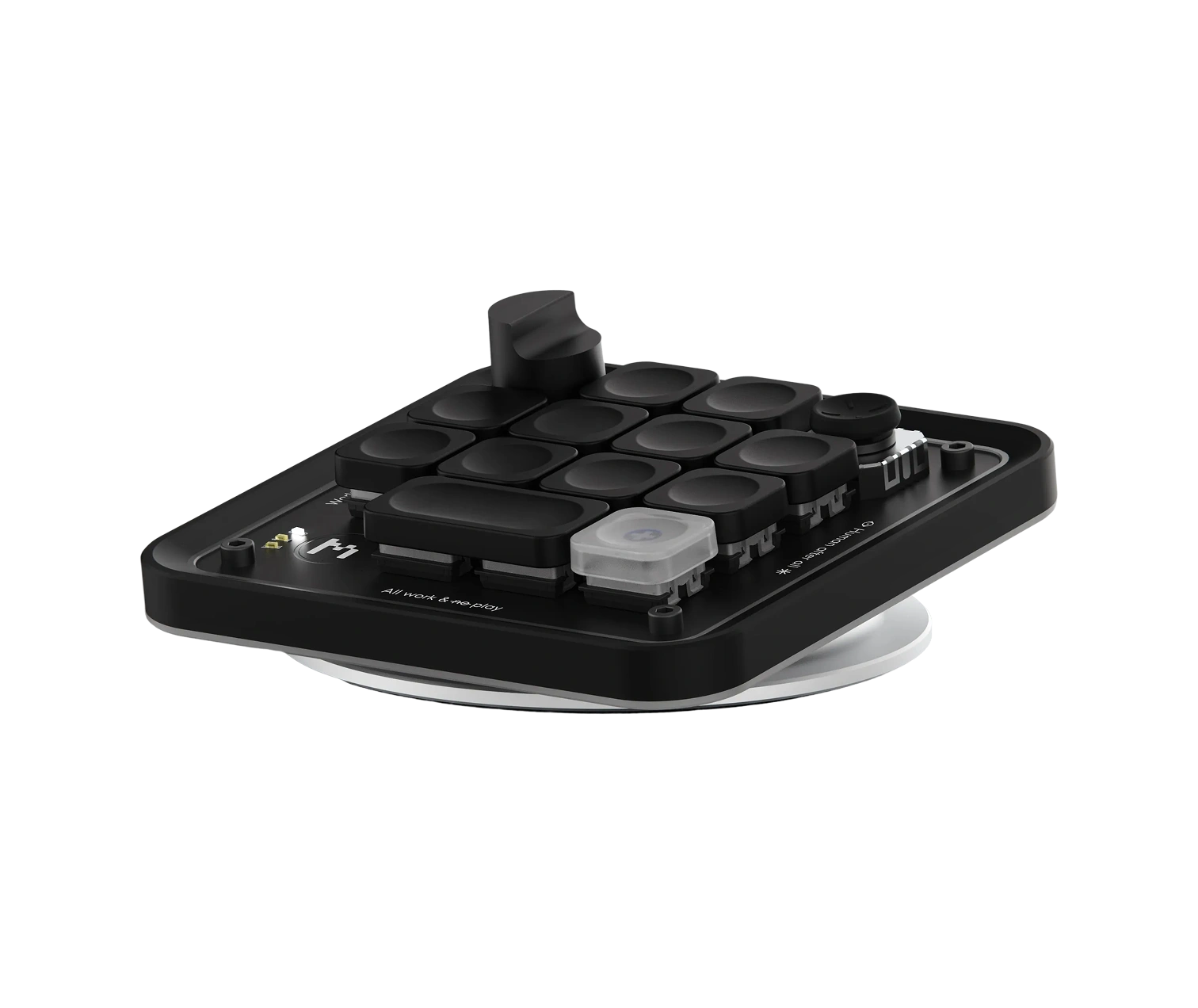
Not a keyboard. Thirteen keys, a dial and a joystick, for the shortcuts, sitting beside the keyboard you already type on.
A macro pad is the answer when the keyboard is fine and only the controls are missing. The Creator Micro 2 holds six layers of thirteen keys each, and Work Louder's Input app changes layer by itself when you move to a different app. The underglow changes colour to show which one is live. Push the joystick and a radial menu opens on screen with seven slots. Each layer gets its own dial mapping too.
Its newest trick is OpenAI's Codex, which it connects to with nothing extra to install. Keys accept a change, reject one, hold for push-to-talk or open a new chat, and they change colour to show whether an agent is thinking or done. The dial sets how much effort the agent spends.
Two builds. The Base runs on a USB-C cable only. The Pro adds Bluetooth, a 2,100 mAh battery and a CNC-machined aluminium shell. Both use 55 g switches, linear or clicky, under a sandblasted polycarbonate body that spreads the lighting evenly. Work Louder sells a set of 64 icon keycaps separately, so each key can show what it does.
It pairs with any of the boards above, and with the Lofree Block most of all, since that board has knobs and no way to program them.
- Controls
- 13 keys, dial, joystick with a 7-slot radial menu, 6 layers
- Connection
- Base: USB-C only. Pro: USB-C and Bluetooth
- Programmed in
- Work Louder Input, or directly in OpenAI Codex
Specifications as published by the manufacturer. Source
How to choose a keyboard with knobs and macro keys
Where the macros live
This decides more than anything else. The Nomad [E] v2 keeps its profiles in memory on the keyboard, so they work on any computer. The 8BitDo Super Buttons record a macro on the buttons themselves. The Keychron keeps its keymap in QMK firmware, which you edit from a browser. The Creator Micro 2 leans on Work Louder's Input app for its app-aware layers. The Lofree Block has fixed controls and nothing to program.
A knob or a key
A knob turns by degrees. A key cannot. Volume, scrolling a timeline and zooming a canvas are all better on a dial. For a single command, a key is faster, because you press it without looking. The boards here split the two: the Nomad has three dials and four buttons, the Block two knobs, the 8BitDo one knob and two buttons.
Clicky, linear or magnetic
Clicky switches, like the 8BitDo's Kailh Box Whites, snap and click at the point the key fires. Linear switches, on the Nomad and the Block, travel smoothly to the bottom. Magnetic switches, on the Keychron, measure the whole press, which is what makes the actuation point adjustable and the four-commands-per-key trick possible.
A pad or a whole keyboard
A macro pad like the Creator Micro 2 costs less than replacing a keyboard you like, and takes 13 keys of controls without changing how you type. A keyboard with controls built in keeps everything in one object, and in one bag.
All 5 compared
Work Louder Nomad [E] v2Screen and three dials- Controls
- Screen, 3 dials
- Connection
- Bluetooth, USB-C
- Programmed in
- Input, on-board
Lofree Block Mechanical KeyboardTwo knobs, nothing to program- Controls
- 2 knobs
- Connection
- BT, 2.4 GHz, USB-C
- Programmed in
- Fixed
Eight Bit Do Retro Mechanical KeyboardButtons you can hit- Controls
- Knob, 2 Super Buttons
- Connection
- 2.4 GHz, BT, USB-C
- Programmed in
- On the buttons
Keychron K2 HE Wireless Magnetic Switch KeyboardFour commands per key- Controls
- 4 actions per key
- Connection
- 2.4 GHz, BT, USB-C
- Programmed in
- QMK, in a browser
Work Louder Creator Micro 2Controls without the keyboard- Controls
- 13 keys, dial, joystick
- Connection
- USB-C; Pro adds BT
- Programmed in
- Input, Codex
How we chose
We started from the controls, not the switches: every pick had to put something on the desk besides letters, whether that is a knob, a screen, a dedicated macro button or a key that does different things at different depths. Then we split them by where the shortcuts live, because that decides what the board is like to own: stored on the keyboard, recorded on the buttons, set in firmware from a browser, or run by an app on the computer. We left out keyboards whose only extra is a volume roller, and kept one macro pad because it adds the same controls to a keyboard you already like. Every figure comes from the maker's page, checked against a second, independent source; Lofree and Keychron block automated readers, so their pages were read in a browser. Where the sources disagreed, as on the Keychron's weight, which differs between editions, the figure is left out.
Common questions
Usually volume, because turning by degrees suits it better than pressing a key. On programmable boards the knob can do anything you map to it: scroll a timeline, zoom a canvas or change brush size. The Lofree Block gives its second knob to switching between Bluetooth, its 2.4 GHz receiver and the cable, and the Work Louder Nomad [E] v2 has three clickable dials.
Not always. The 8BitDo Super Buttons record a macro by holding a combination on the buttons themselves. The Nomad [E] v2 stores its profiles in memory on the keyboard, so they work on a computer with nothing installed. The Keychron K2 HE is programmed from a browser through Keychron's QMK Launcher. The Creator Micro 2 uses Work Louder's Input app for its app-aware layers.
One where each key carries a magnet and a sensor reads how far it has been pressed, instead of waiting for two metal contacts to touch. On the Keychron K2 HE that lets you set the point where a key fires anywhere from 0.2 to 3.8 mm, and give one key up to four actions by depth.
A macro pad like the Work Louder Creator Micro 2 adds controls without replacing a keyboard you already like, and sits wherever your other hand rests. A keyboard with the controls built in keeps everything in one object. If you type on a laptop away from the desk, the built-in version comes with you.
About the author

Justin Farrugia
Founder & Editor of Curated Supply
Justin Farrugia is the founder and editor of Curated Supply, a design-led directory to things worth owning. He has personally curated over 1,000 products across workspace, carry, coffee, audio, and the home, each judged against one standard: design intent, material quality, and the restraint that lets a thing last.