Our favourite mechanical keyboards for silent deep work
Five silent mechanical keyboards for deep work, covering the Lofree Flow 2, Flow 84, NuPhy Halo 65 V2, Node 75, and Logitech Alto Keys K98M.
Updated
A silent mechanical keyboard sounds like a contradiction, and the thing that resolved it was not a quieter switch. It was the mounting. Gasket mounting suspends the plate on rubber instead of screwing it to the case, and the hollow ring that used to define a mechanical board goes with it.
Four of the five here are gasket-mounted. That is the reason they belong on the same page as each other despite covering a full-size board, two compacts, a 98-key and a laptop-sized 75%. This one expands on the best minimalist wireless keyboards for Mac users with the boards built specifically for quiet.
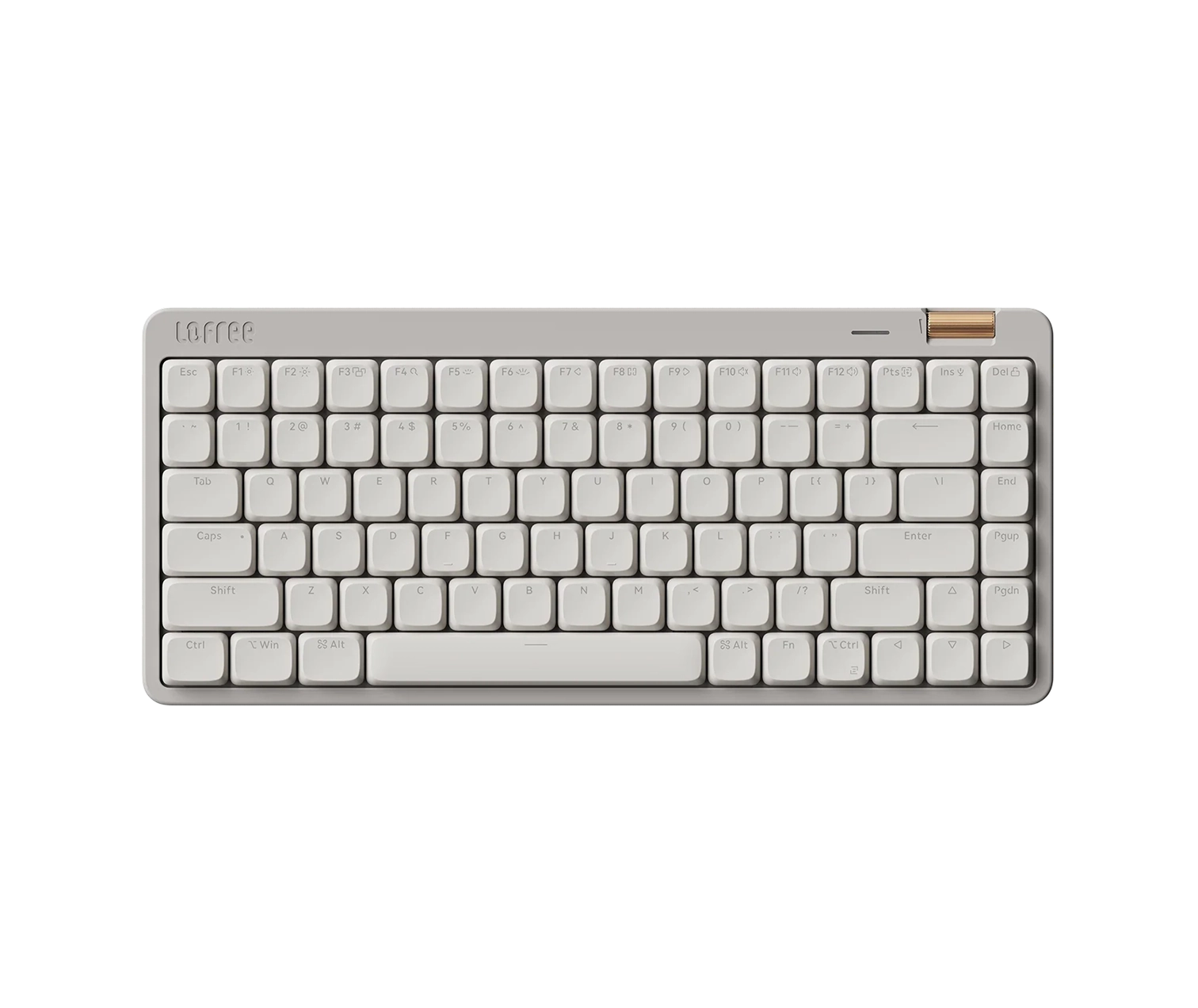
1.Lofree Flow 2
Pros
- 745 g in a milled aluminium unibody, so it does not flex under a heavy hand
- Three ways in: USB-C, Bluetooth 5.3 and 2.4 GHz
- 3,000 mAh runs 90 hours with the backlight off
- Switches arrive pre-lubed, which is the work most people never do themselves
Cons
- 745 g is a desk keyboard, not one that goes in a bag
- Lofree publishes no actuation force for the Cloud switches, so the weighting is a surprise until it arrives
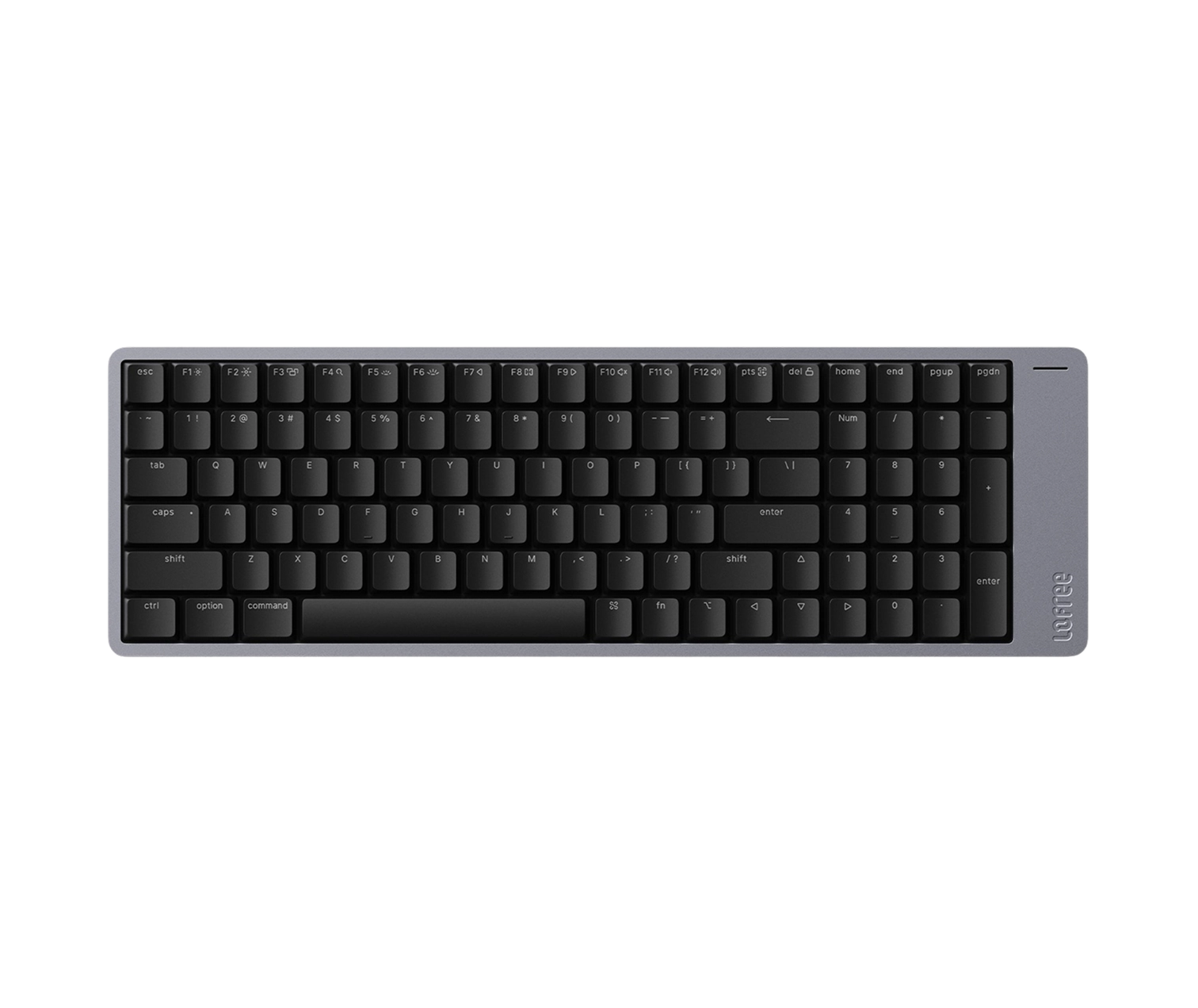
Machined aluminium, with a surface finish closer to tooling than to consumer electronics.
The case is what you notice first on the Flow 2, and the weight it adds is the point: mass under a keyboard absorbs the vibration a keystroke sends into the desk. Magnetic feet set the tilt, so there is nothing hinged underneath to rattle loose in a year.
Key travel is quiet and evenly damped, with no resonance and no hollow thud at the bottom of a stroke. The PBT keycaps come off, so an aftermarket set can change the feel later without changing the board.
It is a full-size layout that speaks Mac and Windows, on Bluetooth, 2.4 GHz and USB-C. Lofree charges the most on this page for it, and the case is where the money is.
- Layout
- 84 keys, 75%
- Switches
- Lofree x Kailh Cloud low-profile, pre-lubed
- Weight
- 745 g
- Battery
- 3,000 mAh, up to 90 hours with the lights off
- Connectivity
- USB-C, Bluetooth 5.3 and 2.4 GHz
- Case
- Milled from a single block of aluminium
Specifications as published by the manufacturer. Source
2.Lofree Flow 84
Pros
- Under 600 g and 12 mm at the front edge, the one here that travels
- Kailh full POM switches rated to 50 million keystrokes
- Gasket mount with silicone tabs and poron foam, not a bare plate
Cons
- 40 hours a charge, against 90 on the Flow 2 that replaced it
- Bluetooth 5.0 and USB-C only, with no 2.4 GHz receiver
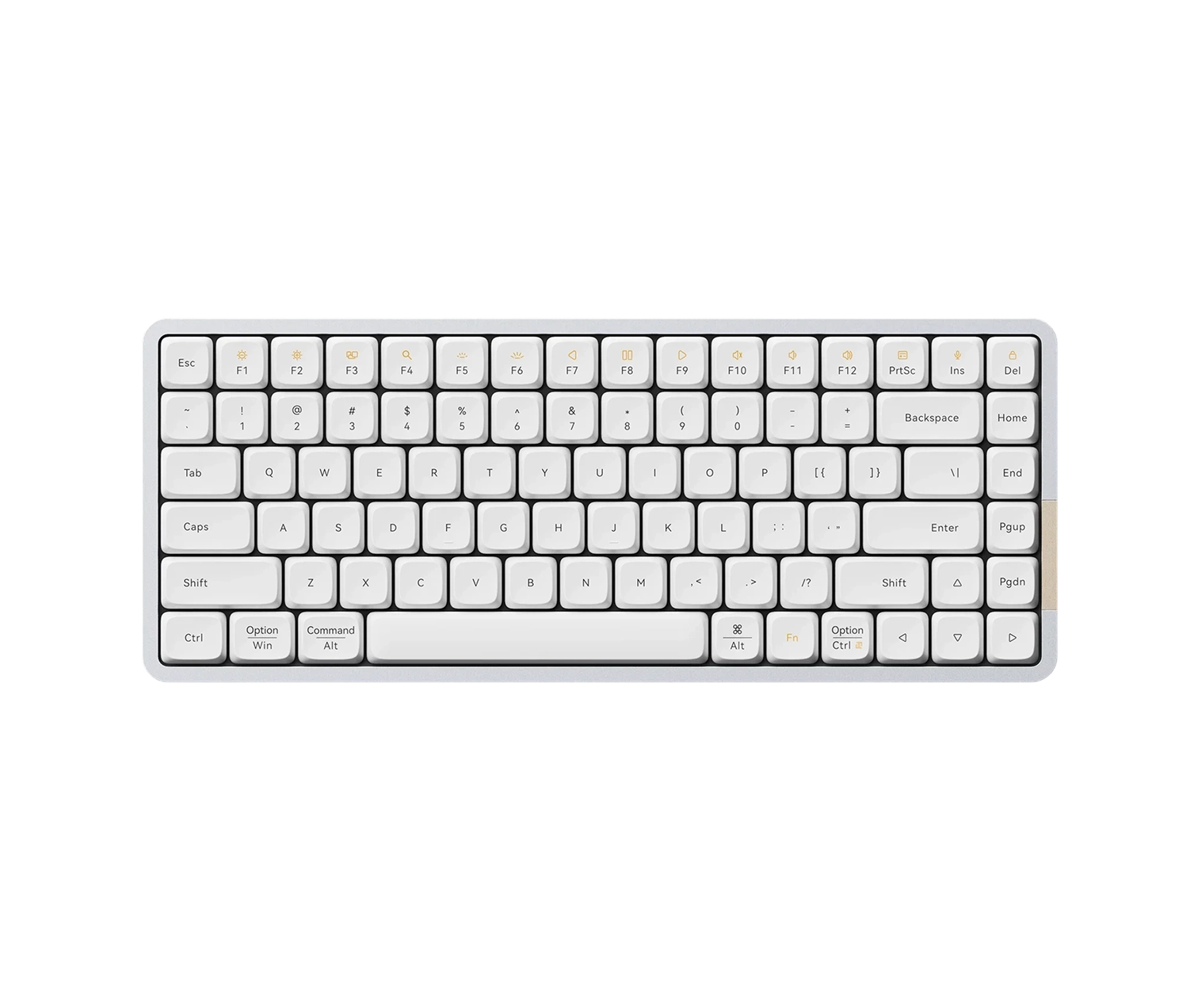
Ten millimetres thick at its deepest point, and gasket-mounted at that thickness, which is the hard part.
Low profile usually means shallow travel and a plasticky flex that makes a long session feel imprecise. The Flow 84 puts an all-aluminium chassis and a gasket mount into 10 mm, and the cushioned stroke that results is what a tray-mounted board of any thickness cannot do.
The switches are Kailh full POM, which are self-lubricating: the polymer transfers a little of itself to the sliding surfaces, so the action gets smoother with use where a dry switch gets scratchier. They are hot-swappable, so changing them needs no soldering iron.
Battery runs 40 hours. It goes in a bag without ceremony, which is the whole difference between this and the Flow 2: one belongs on a desk that does not move, the other on a person who does.
- Layout
- 84 keys, 75%
- Switches
- Kailh full POM, rated 50 million keystrokes
- Weight
- Under 600 g
- Dimensions
- 316 × 126 × 24.5 mm, 12 mm at the front
- Battery
- Up to 40 hours from a 3-hour charge
- Connectivity
- USB-C and Bluetooth 5.0, multi-device
Specifications as published by the manufacturer. Source
3.NuPhy Halo 65 V2
Pros
- Takes any standard 5-pin switch, so the sound is yours to change
- 4,000 mAh runs 240 hours with the lights off, the longest here
- Six layers of acoustic damping under a PCB gasket mount
- 1,000 Hz polling wired and on 2.4 GHz
Cons
- 798 g, the heaviest of the four compact boards here
- Bluetooth drops to 125 Hz polling, so the wireless mode you will actually use is the slowest one
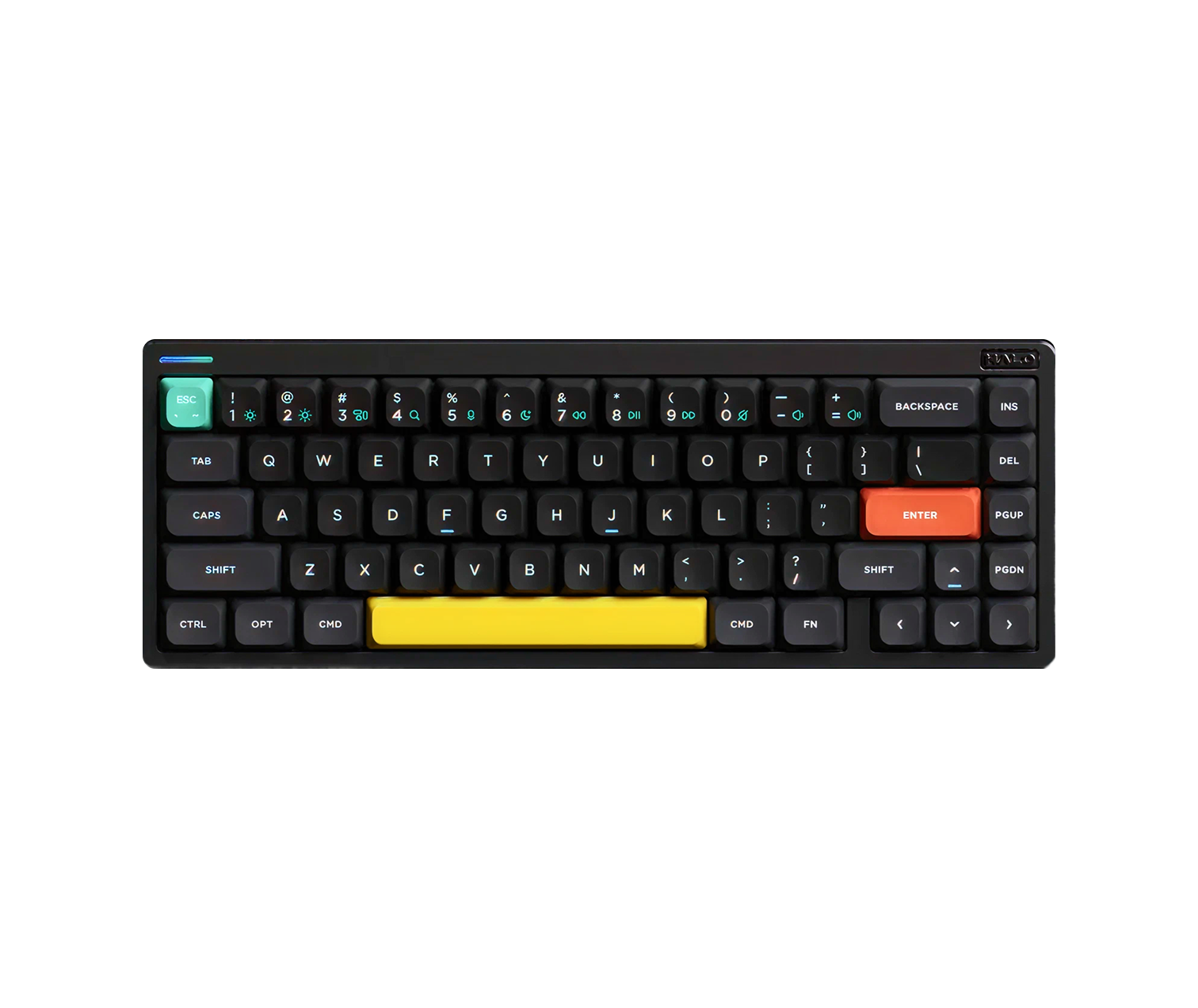
A multi-layer damping stack inside the case, which is the component nobody shops for and the one that decides whether a board sounds controlled or hollow.
Resonance is what makes a keyboard loud. Not the switch, which is a click and a spring, but the case around it acting as a soundbox. NuPhy fills that box on the Halo 65 V2 with layered foam and silicone that absorb the ring before it reaches the shell.
The 65% layout is the compromise worth knowing about: it keeps the arrow keys, which the 60% boards drop, and loses the function row, which most people reach for less than they think. The footprint that saves is where a mouse goes.
Keycaps are PBT, which stays matt and keeps its legends where ABS goes shiny in about a year. Switches are hot-swappable, and the firmware is open enough to build layers and macros on if you want them.
- Layout
- 67 keys, ANSI 65%
- Switches
- Standard 5-pin, hot-swappable
- Weight
- 798 g
- Dimensions
- 318 × 114.5 mm, 28.3 mm at the back
- Battery
- 4,000 mAh, up to 240 hours with the lights off
- Polling
- 1,000 Hz wired and on 2.4 GHz, 125 Hz on Bluetooth
- Mount
- PCB gasket with six layers of damping
Specifications as published by the manufacturer. Source
4.Logitech Alto Keys K98M
Pros
- Twelve months between charges, where the others are measured in hours
- Hot-swappable Marble linears, unusual on a keyboard from a mainstream brand
- 98 keys, so the number pad and the function row are both present
- Logi Bolt receiver as well as Bluetooth LE, for machines that will not pair
Cons
- 1,100 g and 15.79 in wide, the largest and heaviest here by a distance
- Backlight is white only, where the other four are RGB
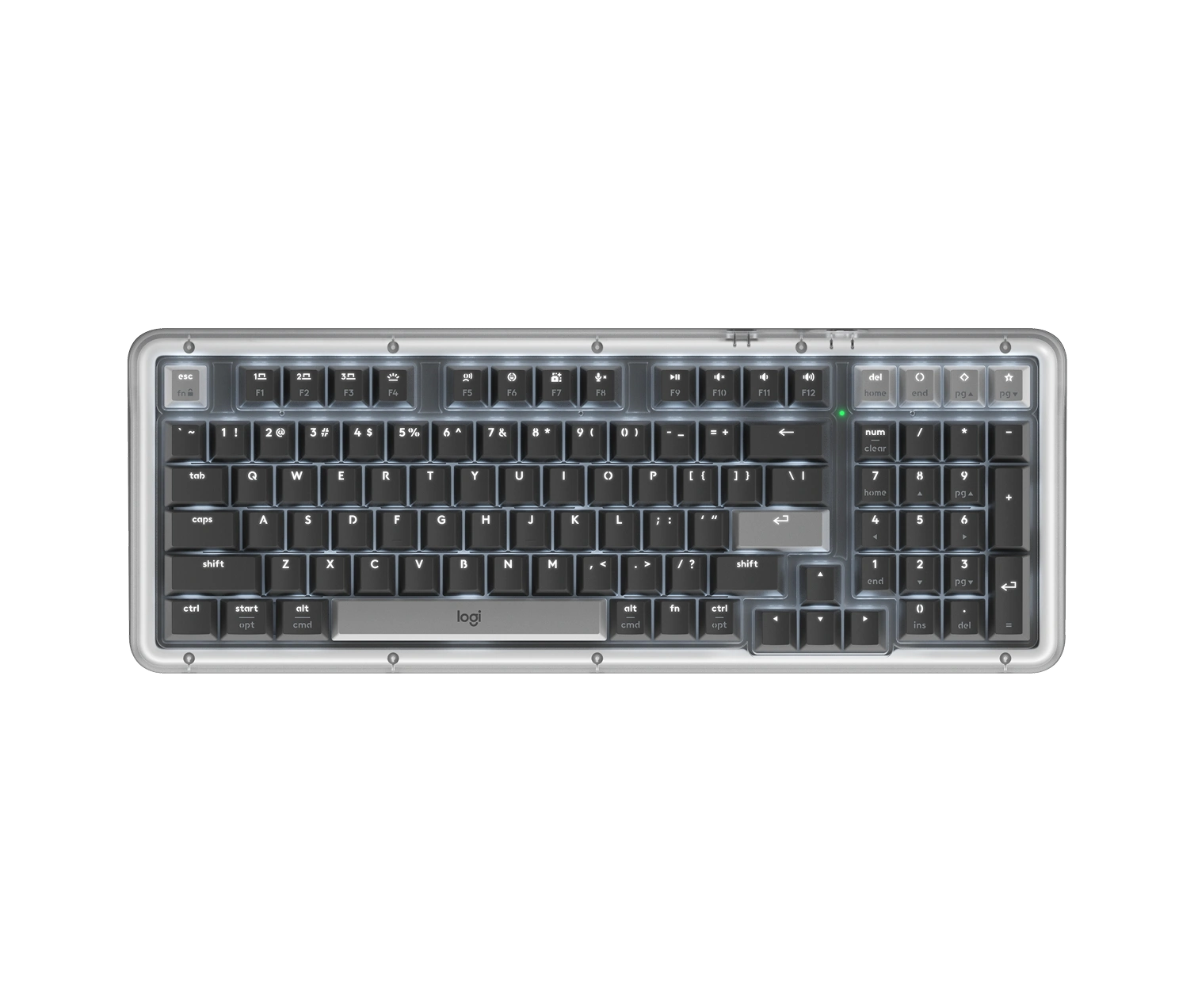
A number pad without a full-size footprint, from the company that spent thirty years making peripherals nobody thought about.
The 98-key layout is the interesting decision on the Alto Keys K98M. It keeps the number pad and deletes the gaps around it, so a spreadsheet stays fast without the board pushing your mouse arm out to the side. That is a posture argument as much as a desk-space one.
Logitech has gasket-mounted it and put PBT keycaps and hot-swappable switches on it, which places it in the same customisation tier as the boutique boards here. Battery reaches 12 months with the backlight off. Connectivity is three-device Bluetooth, 2.4 GHz over Logi Bolt, and USB-C.
Off-White, Graphite and Lilac, with no RGB anywhere, which is what makes it work on a desk where the rest of the objects are quiet.
- Layout
- 98 keys, with 12 function keys and 3 action keys
- Switches
- Marble linear, hot-swappable
- Weight
- 1,100 g
- Dimensions
- 15.79 × 5.79 × 1.56 in
- Battery
- Up to 12 months on Bluetooth LE or Logi Bolt
- Mount
- UniCushion full-frame gasket
Specifications as published by the manufacturer. Source
5.NuPhy Node 75
Pros
- 14 mm thick and 659 g, the flattest and second-lightest here
- Low-profile switches that are still hot-swappable, which is rare
- Three Bluetooth channels plus 2.4 GHz and USB-C
- Touch gestures on the board itself
Cons
- North-facing LEDs, which foul the underside of some aftermarket keycaps
- Bluetooth polls at 125 Hz against 1,000 Hz wired
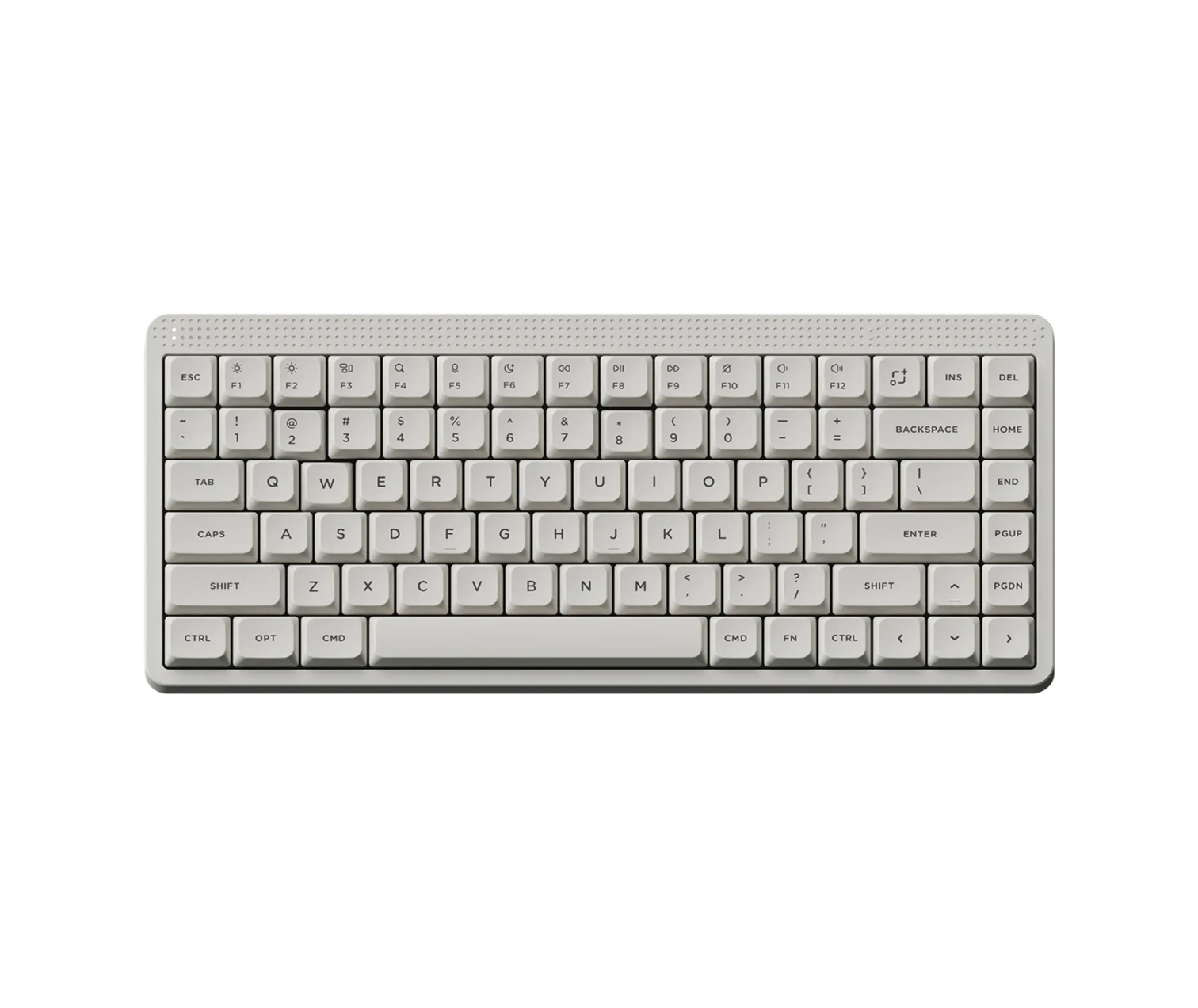
Airfeet is the detail that does not fit on a spec sheet: the Node 75 sits directly on a MacBook's own keyboard without triggering it.
Laptop on the desk, board on top of the laptop, typing posture restored. No stand, no riser, no gap between two surfaces at different heights. It sounds small until it replaces the piece of furniture you were going to buy for the same problem.
It is a 75% layout in low and high profile, with multi-layer gasket damping and a choice of Nano or Max switches, both damped enough to sit at the quiet end without losing the tactile step. NuPhy quotes 1,000 hours of battery. Tri-mode connectivity, Mac and Windows.
A touch zone along the top right handles volume and brightness on slide, tap and double-tap. It takes about ten minutes to stop thinking about, which is the correct amount of time for a control that replaces two keys.
- Layout
- 84 keys, ANSI 75%
- Switches
- Nano low-profile, hot-swappable
- Weight
- 659 g
- Dimensions
- 317.1 × 137.1 × 14 mm
- Battery
- 3,000 mAh, up to 1,000 hours
- Connectivity
- USB-C, three Bluetooth channels and 2.4 GHz
- Mount
- Gasket
Specifications as published by the manufacturer. Source
What to look for in a quiet mechanical keyboard
The mount matters more than the switch
Most people shop for silent switches and stop there. A switch is a spring and a stem and it makes very little noise on its own; what you hear is the case ringing after it. A gasket mount suspends the plate on rubber strips so that ring never reaches the shell, and it is the single biggest acoustic difference between two boards using identical switches.
PBT or ABS on the keycaps
ABS is cheaper, feels slightly slick from new, and goes visibly shiny where your fingers land inside a year. PBT is denser, keeps a matt texture, holds its legends, and sounds a little deeper on bottom-out. Every board on this page uses PBT, which at these prices should be the minimum.
65, 75, 98 or full size
A 65% keeps the arrows and drops the function row. A 75% adds the function row back in a single tight block. A 98-key keeps the number pad and removes the gaps around it. Full size keeps everything and takes the most desk. The honest question is not which is best but how often you use F-keys and a number pad, and most people overestimate both.
Hot-swap is worth having even if you never use it
A hot-swap socket takes switches out and puts new ones in by hand, with no soldering. Most owners change them once or never. What it actually buys is that one failed switch is a two-minute fix instead of a dead keyboard, on a device you are otherwise expecting to keep for a decade.
Which of the five
So: a fixed desk where the case is the point, the Flow 2. A bag, the Flow 84. Quiet built from the inside out, the Halo 65 V2. Numbers without the width, the Alto Keys K98M. And the Node 75 if the keyboard has to sit on a laptop.
The keyboard is the object your hands are on all day, and it is the foundation of the rest. What sits around it runs through premium task lights for focused work and over-ear headphones for deep work.
All 5 compared
Lofree Flow 2Machined aluminium, and the mass is the acoustic decision- Layout
- 75%
- Switches
- Kailh Cloud
- Weight
- 745 g
Lofree Flow 84Gasket mount inside a 10 mm case, which is the hard part- Layout
- 75%
- Switches
- Kailh POM
- Weight
- <600 g
NuPhy Halo 65 V2A layered damping stack that kills the ring before the shell- Layout
- 65%
- Switches
- 5-pin hot-swap
- Weight
- 798 g
Logitech Alto Keys K98M98 keys with the gaps removed, so the mouse stays close- Layout
- 98-key
- Switches
- Marble linear
- Weight
- 1,100 g
NuPhy Node 75Airfeet lets it rest on a MacBook without triggering its keys- Layout
- 75%
- Switches
- Nano hot-swap
- Weight
- 659 g
Weight matters here because none of these travel well above about 800 g, and it is the figure a spec sheet buries. Battery is in the panels rather than the table: Lofree and NuPhy quote hours, Logitech quotes months, and the two are not comparable.
How we chose
We chose these five on how they are mounted, because the mount decides the noise and the switch mostly does not. Every one of these makers serves a product page our fetcher cannot read: NuPhy and Lofree return 403 to anything automated and Logitech's listing moved. So no pick here carries a specification panel and there is no comparison table. The figures in the prose are the ones each maker states on its own listing, and they are flagged internally as unverified until somebody reads those pages by hand.
Common questions
The mount, more than the switch. A switch is a stem and a spring and makes little noise by itself; what you hear is the case ringing afterwards. A gasket mount suspends the plate on rubber strips so that ring never reaches the shell, and layered foam or silicone inside absorbs what is left. Two boards with identical switches can sound completely different for this reason alone.
Yes, and it shows up within a year. ABS goes visibly shiny where your fingers land and its legends wear through. PBT is denser, keeps a matt texture, holds its legends, and bottoms out with a slightly deeper sound. At the prices on this page PBT should be the minimum rather than a feature.
Count how often you use the function row and the number pad, and be honest, because most people overestimate both. A 65% keeps arrow keys and drops the F-row. A 75% squeezes the F-row back into one tight block. A 98-key keeps the number pad and deletes the empty gaps around it. Full size keeps everything and takes the most desk, which pushes your mouse further from your shoulder.
It means the switches sit in sockets and pull out by hand, with no soldering. Most owners change them once or never, so the real value is repair rather than tuning: a single failed switch becomes a two-minute fix instead of a dead board, on something you plan to keep for a decade.
They used to be. Thin cases had shallow travel, hollow acoustics and enough flex to make long sessions feel imprecise. What changed is that gasket mounting arrived in low-profile boards: the Lofree Flow 84 is 10 mm at its thickest point and still suspends its plate on rubber, which is where the cushioned stroke comes from.
About the author

Justin Farrugia
Founder & Editor of Curated Supply
Justin Farrugia is the founder and editor of Curated Supply, a design-led directory to things worth owning. He has personally curated over 1,000 products across workspace, carry, coffee, audio, and the home, each judged against one standard: design intent, material quality, and the restraint that lets a thing last.