Best monitors for designers, from 4K OLED to 5K Retina
Monitors for designers, from the TCL 32X3A OLED to Apple's Studio Display XDR, compared on pixel density, brightness and how sharp text looks on a Mac.
The best monitors for designers split into two camps, and the line between them is pixel density. Two of the four here run at about 140 pixels per inch and two run at about 220, and on a Mac that one number decides whether type is drawn crisply or scaled by a fraction and softened at the edges.
macOS draws its interface at exactly twice the size on a Retina screen, which Apple pitches at around 218 ppi. A 4K panel stretched to 32 inches cannot do that without making everything enormous, so the usual setting scales by an uneven amount. The two OLEDs answer with contrast, speed and colour that no LCD here can match, which is why the choice comes down to whether your day is spent on type or on images.
Apple's 32-inch Pro Display XDR would have been the fifth pick. Apple stopped selling it, and its $999 stand, on 3 March 2026, the day its replacement went on sale.
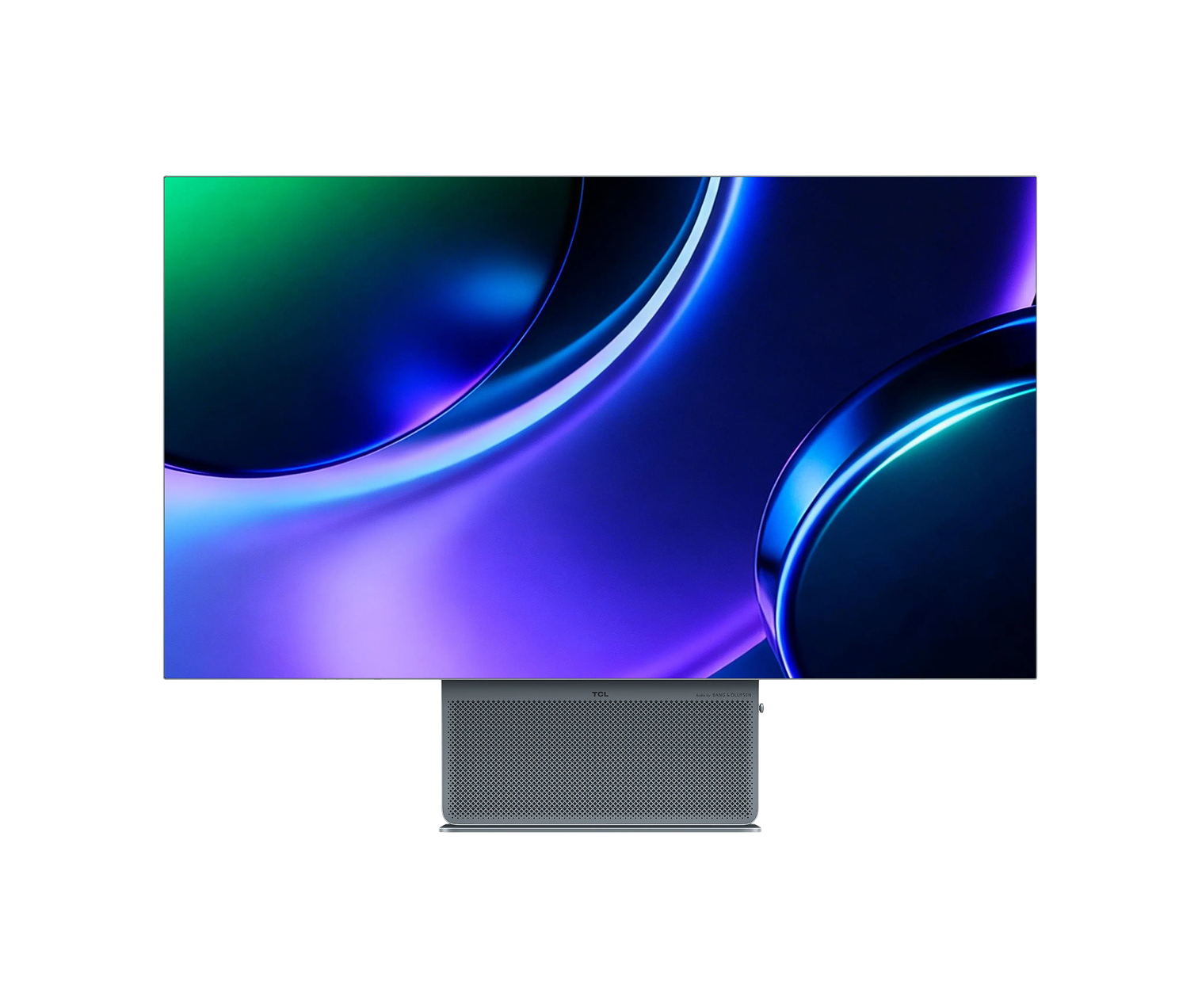
1.TCL 32X3A OLED Monitor
Pros
- OLED switches pixels fully off, so black is the panel at rest
- 240 Hz at 4K and a 480 Hz mode at 1080p
- Factory Delta E under 2, by TCL's figure
Cons
- About 140 ppi, so a Mac scales it by a fraction
- No published burn-in warranty, and the pixel refresh restarts the screen
A 4K OLED that also runs at 480 Hz in a 1080p mode, which makes it the one pick here built as a gaming panel first.
The 32X3A is TCL's first OLED monitor. It launched in China in March 2026 and reached Europe at a €999 list price, and the panel is 31.5 inches at 3840 by 2160, running at 240 Hz in its native mode. TCL claims 98.5% of the DCI-P3 cinema gamut and a factory Delta E under 2. Delta E is the distance between the colour asked for and the colour shown, and under 2 is a gap most people cannot see side by side.
An OLED pixel makes its own light. It can switch fully off, so a black background is the panel at rest, and that is the contrast no backlight can fake, and it is why TCL can certify the screen for VESA DisplayHDR True Black 400 while quoting a 1,300 nit peak on small highlights. The cabinet is 6.4 mm at its thinnest, and the front-firing speakers were tuned by Bang & Olufsen.
Static elements are every OLED's weakness. TCL's Anti-Burn Shield asks for a pixel refresh after long use, which takes a few minutes and restarts the screen, and TCL publishes no burn-in warranty. A dock and a menu bar that never move are exactly what that refresh exists to manage.
On a Mac it runs best at "looks like 2560 x 1440", a non-integer scale that renders type slightly softer than on the LG or the Apple. In a photo edit or a video timeline nobody sees it. In a type specimen at 100%, everybody does.
- Panel
- OLED, 31.5 inches
- Resolution
- 3840 x 2160
- Pixel density
- About 140 ppi, calculated from resolution and size
- Refresh rate
- 240 Hz at 4K, 480 Hz at 1080p
- Peak brightness
- 1,300 nits, DisplayHDR True Black 400
- Colour gamut
- 98.5% DCI-P3, 99% sRGB
- Factory accuracy
- Delta E under 2
Specifications as published by the manufacturer. Source
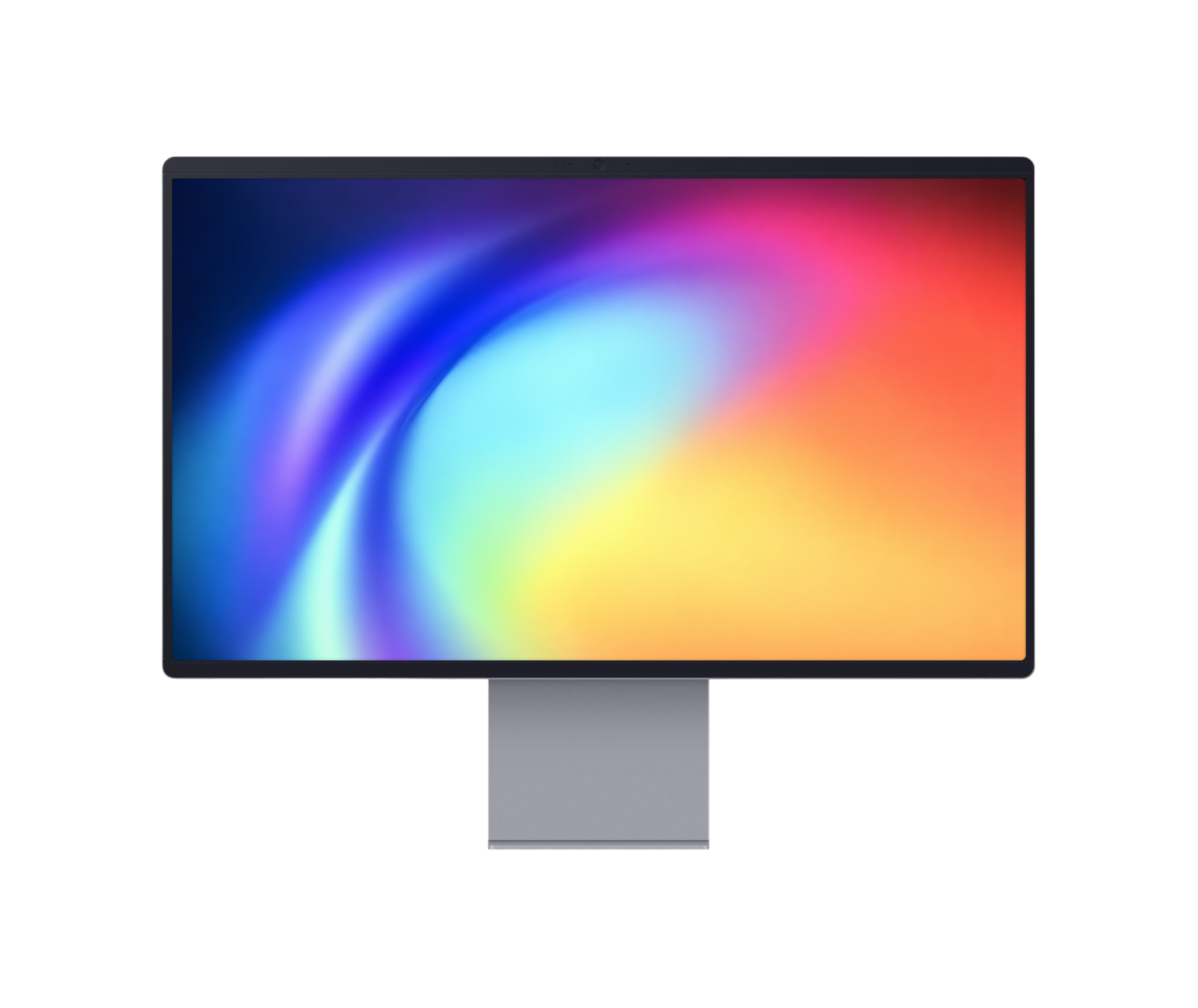
2.Samsung Smart Monitor M9
Pros
- The only warranty here that covers burn-in
- A heat pipe and automatic dimming of static taskbars
- Runs streaming apps and Microsoft 365 with no computer attached
Cons
- 250 nits typical, the dimmest here
- Triangular subpixels can fringe black type on white
The only monitor here whose warranty covers burn-in, for three years of normal use.
Samsung's M9 is the 2025 model, a 32-inch QD-OLED at 4K and 165 Hz. QD-OLED puts a layer of quantum dots over blue OLED pixels to make red and green, which is how it reaches saturated colour without a filter wasting light. Samsung publishes only an sRGB figure, 99%, and independent tests have measured DCI-P3 coverage between 95% and 98%.
The protection is physical too. A pulsating heat pipe behind the panel spreads heat five times faster than a graphite sheet, by Samsung's figure, and heat is what ages an OLED pixel. The monitor also dims logos and taskbars that sit still, and on a Mac the menu bar and the Dock are both in that category.
Typical brightness is 250 nits, the lowest here by a wide margin. The LG holds 450 and the Studio Display XDR holds 1,000, and in a studio with a south-facing window that gap is the difference between a screen you read and a screen you squint at. Ports are one HDMI 2.1, one DisplayPort 1.4 and a USB-C input that charges a laptop at 90 W.
Then there is the smart part. It runs Samsung's Tizen system with streaming apps and Microsoft 365 without a computer attached, takes AirPlay, and carries a 12 MP camera that Samsung says records in 4K. Samsung promises Tizen upgrades for up to seven years on its 2025 products. QD-OLED arranges its subpixels in a triangle, so black type on white can pick up a faint coloured fringe at this density. It works evenings as hard as days.
- Panel
- QD-OLED, 32 inches
- Resolution
- 3840 x 2160
- Pixel density
- About 140 ppi, calculated from resolution and size
- Refresh rate
- 165 Hz
- Brightness
- 250 nits typical, DisplayHDR True Black 400
- Laptop charging
- 90 W over USB-C
- Warranty
- 3 years, including burn-in under normal use
Specifications as published by the manufacturer. Source
3.LG Ultrafine 32" 6K Monitor

Pros
- 224 ppi, so macOS draws it at exact 2x
- 99.5% of Adobe RGB for print work
- Thunderbolt 5, a USB-C hub and a built-in keyboard and mouse switch
Cons
- 60 Hz, half the refresh of a recent MacBook Pro screen
- An LCD, so blacks are dark grey next to an OLED
224 pixels per inch at 32 inches, which makes it the only screen of that size on sale here that macOS draws at exactly double.
The UltraFine 6K is 6144 by 3456 pixels, so at 2x it gives the workspace of a 3072 by 1728 display with every line of type drawn on whole pixels. LG built it around a Nano IPS Black panel, which lifts contrast to 2000:1 from the roughly 1000:1 of ordinary IPS. That is still a backlit LCD, and its blacks are dark grey next to either OLED, but it has nothing that can burn in.
Colour is the brief. It covers 98% of DCI-P3 and 99.5% of Adobe RGB, arrives factory calibrated, and accepts hardware calibration from a colorimeter. Adobe RGB is the wider print-oriented gamut, and it is the figure that matters if work ends up on paper. A firmware update in October 2025 added Studio Mode, three presets matched to a Mac's own display.
LG calls it the first 6K monitor with Thunderbolt 5, and one cable charges a laptop at 96 W while carrying the picture. There is also DisplayPort 2.1, HDMI 2.1, a USB-C hub, daisy chaining and a built-in switch that moves one keyboard and mouse between two computers.
It runs at 60 Hz, which a MacBook Pro owner used to 120 Hz scrolling will notice in the first minute and stop noticing within the week. Typical brightness is 450 nits on a matte surface. Next to Apple's glossy glass the picture looks fractionally less vivid, and a window behind your chair stays out of it.
- Panel
- Nano IPS Black, 31.5 inches, 2000:1 contrast
- Resolution
- 6144 x 3456
- Pixel density
- 224 ppi
- Refresh rate
- 60 Hz
- Brightness
- 450 nits typical, DisplayHDR 600
- Colour gamut
- 98% DCI-P3, 99.5% Adobe RGB, factory calibrated
- Laptop charging
- 96 W over Thunderbolt 5
Specifications as published by the manufacturer. Source
4.Apple Studio Display XDR

Pros
- 1,000 nits sustained across the full screen
- Covers Adobe RGB as well as P3, with 16 reference modes
- 140 W charging, enough for a 16-inch MacBook Pro
Cons
- Thunderbolt only, so no PC or console
- 27 inches, a smaller canvas than the 32-inch picks
1,000 nits sustained across the whole screen, twice the everyday brightness of the 32-inch display it replaced.
The Studio Display XDR is 27 inches at 5120 by 2880, 218 ppi, and it looks like a 2560 by 1440 screen drawn at exactly 2x. Behind the LCD sit 2,304 mini-LED dimming zones, each a cluster of small LEDs that brightens or darkens with the image, which is how it reaches a 2,000 nit HDR peak across 40% of the screen while keeping a dark scene dark. It refreshes at up to 120 Hz on recent Macs; M1, M2 and M3 machines run it at 60.
Apple calibrates every unit, and for the first time on an Apple display the gamut covers Adobe RGB as well as P3. The calibration targets a new colour model Apple calls CMF 2026, so a colorimeter set to the old CIE 1931 standard reads it wrong. That is why reviewers' gamut figures for this screen disagree with each other. There are 16 reference modes, including Design and Print at P3 with a D50 white point, the white of a print viewing booth.
Thunderbolt 5 is the only way in. It charges a laptop at 140 W, enough for a 16-inch MacBook Pro at full speed. There is no HDMI and no DisplayPort, so it will not take a PC or a console, and it needs an Apple silicon Mac. A 12 MP Center Stage camera and six speakers are built in.
At $3,299 the height-adjustable stand is included, matte nano-texture glass adds $300, and a VESA version without the stand is $400 less. The canvas is smaller than the LG's. That is the trade.
- Panel
- LCD with 2,304-zone mini-LED backlight, 27 inches
- Resolution
- 5120 x 2880
- Pixel density
- 218 ppi
- Refresh rate
- Up to 120 Hz; 60 Hz on M1, M2 and M3 Macs
- Brightness
- 1,000 nits sustained SDR, 2,000 nits HDR peak
- Laptop charging
- 140 W over Thunderbolt 5
- Ports
- 2 Thunderbolt 5, 2 USB-C; no HDMI or DisplayPort
Specifications as published by the manufacturer. Source
How to choose a monitor for design work
Pixel density and macOS scaling
Divide the horizontal resolution by the screen width and the answer tells you how a Mac will draw on it. Near 218 ppi, macOS uses exact 2x and type is pixel-perfect. Near 140 ppi, the choice is a 2x mode that looks like 1080p and makes everything huge, or a fractional mode that softens type and can shimmer as you scroll. Windows is built around fractional scaling, so the 4K panels lose less there.
OLED or mini-LED
OLED switches each pixel off for black, so contrast is effectively infinite and motion is instant. Mini-LED lights the panel from behind in zones, so it runs far brighter for far longer, with a faint halo around bright objects on black. OLED suits photo and video in a dim room. Mini-LED suits a bright room and long hours on the same layout.
Brightness in a bright room
Typical SDR brightness is the figure to read, more than the HDR peak on the box. 250 nits is comfortable in a dim room, 450 handles a normal office, and 1,000 holds up beside a window in summer.
Burn-in
Burn-in is a pixel that has aged faster than its neighbours because it showed the same thing for months. A dock, a menu bar and a toolbar are the classic culprits. Samsung covers it for three years and TCL publishes no burn-in terms. Neither LCD here can burn in.
The rest of the desk around a screen like these is in items to consider for your next desk setup.
All 4 compared
TCL 32X3A OLED MonitorOLED, built for speed- Panel
- OLED
- Resolution
- 3840 x 2160
- Density
- ~140 ppi
- Refresh
- 240 Hz
Samsung Smart Monitor M9Burn-in covered, three years- Panel
- QD-OLED
- Resolution
- 3840 x 2160
- Density
- ~140 ppi
- Refresh
- 165 Hz
LG Ultrafine 32" 6K Monitor6K, true Retina at 32 inches- Panel
- IPS Black
- Resolution
- 6144 x 3456
- Density
- 224 ppi
- Refresh
- 60 Hz
Apple Studio Display XDRBrightest here, mini-LED- Panel
- Mini-LED
- Resolution
- 5120 x 2880
- Density
- 218 ppi
- Refresh
- 120 Hz
TCL and Samsung do not publish pixel density, so their figures are calculated from resolution and screen size. Near 218 ppi a Mac draws at exact 2x; near 140 ppi it scales by a fraction.
How we chose
We chose these four on how they draw type and images for someone who designs for a living, which comes down to pixel density, panel technology and how bright the screen stays in a real room. Every figure is quoted from the maker's own specification page and checked against an independent review. Where a maker publishes nothing, as TCL does on ports and Samsung does on P3 coverage, we say so instead of borrowing a number. Apple's Pro Display XDR was left out because Apple discontinued it in March 2026.
Common questions
About 218 pixels per inch. At that density macOS draws its interface at exactly twice the size, so every line of type lands on whole pixels. Apple's 27-inch 5K displays and LG's 32-inch 6K both sit there. A 4K screen at 32 inches is about 140 ppi, which forces a fractional scale that softens type slightly.
For colour and contrast, yes: each pixel switches fully off, so blacks are true black and saturated colours are vivid. The trade-offs are lower full-screen brightness, possible colour fringing on small text from the subpixel layout, and burn-in from static toolbars over months. Samsung covers burn-in on the M9 for three years; TCL publishes no burn-in warranty.
At 27 inches a 4K panel is about 163 ppi and works well at a fractional scale. At 32 inches it drops to about 140 ppi, and the usual 'looks like 2560 x 1440' setting renders type softer than on a 5K or 6K screen. Photo and video work hide the difference; small type shows it.
The Studio Display XDR, launched on 3 March 2026, the day Apple discontinued the Pro Display XDR and its Pro Stand. It is smaller, 27 inches at 5K against 32 inches at 6K, but holds 1,000 nits sustained against 500 and charges a laptop at 140 W, with the stand included.
All four. The Samsung charges at 90 W over USB-C, the LG at 96 W over Thunderbolt 5 and the Studio Display XDR at 140 W over Thunderbolt 5. TCL does not list its ports; press reports give its USB-C 90 W.
About the author

Justin Farrugia
Founder & Editor of Curated Supply
Justin Farrugia is the founder and editor of Curated Supply, a design-led directory to things worth owning. He has personally curated over 1,000 products across workspace, carry, coffee, audio, and the home, each judged against one standard: design intent, material quality, and the restraint that lets a thing last.


